Free Color Format Converter Online
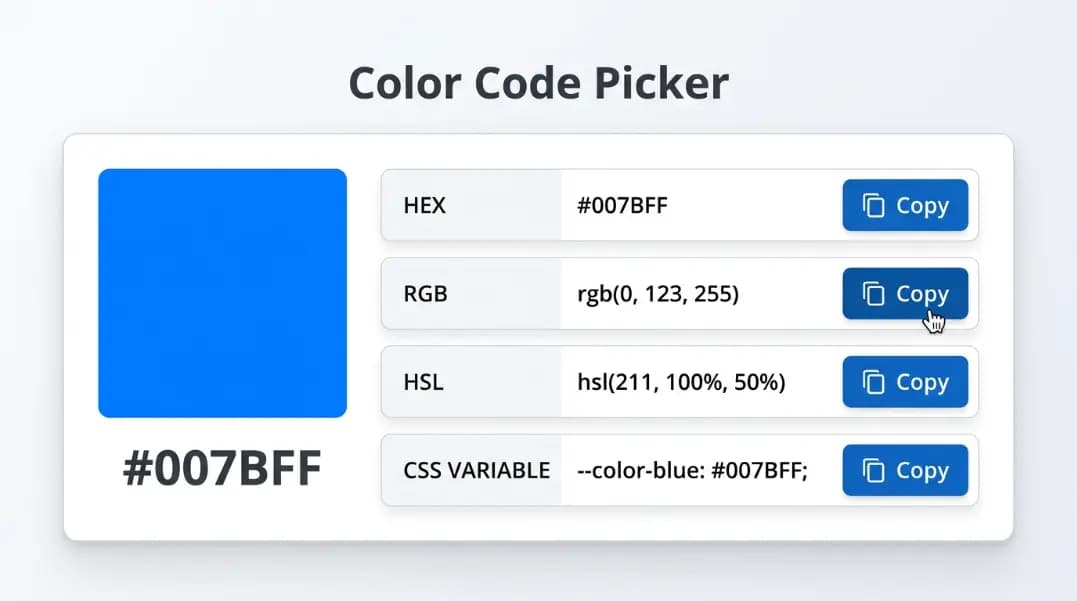
This color format converter converts any HEX color to RGB, HSL, RGBA, CSS custom property, and Tailwind format instantly. Paste your HEX code once and all output formats appear simultaneously. Every conversion runs in your browser with no server request. Copy any individual format or use all outputs across your design system, stylesheet, or codebase.
#3B82F6rgb(59, 130, 246)rgba(59, 130, 246, 1.00)hsl(217, 91%, 60%)hsla(217, 91%, 60%, 1.00)--color: #3B82F6--color-rgb: 59, 130, 246[#3B82F6]Color formats overview
A color format is the notation used to express a specific color value in code or design software. Different tools, platforms, and workflows use different color formats. A designer working in Figma may use HEX codes, while a developer writing utility CSS uses RGBA for transparent overlays and HSL for programmatic color manipulation. Converting between formats accurately is a routine part of any design-to-code workflow.
| Format | Example | Supports transparency | Used in |
|---|---|---|---|
| HEX | #3B82F6 | Partial (8-digit) | CSS, design tools, HTML |
| RGB | rgb(59, 130, 246) | No | CSS, JavaScript, SVG |
| RGBA | rgba(59, 130, 246, 0.5) | Yes | CSS, CSS-in-JS |
| HSL | hsl(217, 91%, 60%) | No | CSS, design tokens |
| HSLA | hsla(217, 91%, 60%, 0.5) | Yes | CSS |
| CMYK | cmyk(76, 47, 0, 4) | No | Print only, not CSS |
| OKLCH | oklch(62% 0.19 261) | Yes | Modern CSS, CSS Color 4 |
What is the HEX color format
The HEX color format represents a color as a six-character hexadecimal string prefixed with #. Each pair of characters encodes one RGB channel from 00 (0 in decimal) to FF (255 in decimal). The format is #RRGGBB:
#3B82F6
 ^^         3B = 59 in decimal  (red channel)
   ^^       82 = 130 in decimal (green channel)
     ^^     F6 = 246 in decimal (blue channel)

/* Shorthand: #RGB expands to #RRGGBB */
#F06   =   #FF0066

/* 8-digit HEX includes alpha */
#3B82F680  =  rgba(59, 130, 246, 0.50)
The HEX color format is the most common format in design software (Figma, Sketch, Adobe XD) and the most compact notation for use in CSS and HTML attributes. It has no built-in opacity control in the standard 6-digit form, which is why RGBA is often preferred when transparency is needed.
What is the RGB color format
The RGB color format expresses a color as three integers representing the intensity of red, green, and blue light, each ranging from 0 to 255. RGB stands for Red, Green, Blue. It is an additive color model: adding more of each channel moves the result toward white, and setting all channels to 0 produces black.
rgb(59, 130, 246)    /* medium blue  */
rgb(255, 255, 255)   /* white        */
rgb(0, 0, 0)         /* black        */
rgb(239, 68, 68)     /* red-500      */
rgb(16, 185, 129)    /* emerald-500  */
The RGB format colors are the native representation for all digital screens. When a browser processes any other color format including HEX, HSL, or named colors, it internally converts them to RGB before rendering. The RGB color format is the format used by the Canvas API, WebGL, and most JavaScript color manipulation libraries. Understanding RGB format colors is foundational to all digital color work.
HSL color format: the developer-friendly option
HSL stands for Hue, Saturation, Lightness. Unlike RGB and HEX which describe colors in terms of hardware channel values, HSL describes them perceptually. Hue is the color position on the color wheel measured in degrees (0 is red, 120 is green, 240 is blue). Saturation is a percentage controlling how vivid or grey the color appears. Lightness is a percentage where 0% is black, 100% is white, and 50% is the pure hue.
/* Same hue, varying lightness = tints and shades */
hsl(217, 91%, 90%)   /* very light blue  */
hsl(217, 91%, 70%)   /* light blue       */
hsl(217, 91%, 60%)   /* base blue        */
hsl(217, 91%, 40%)   /* dark blue        */
hsl(217, 91%, 20%)   /* very dark blue   */

/* Same hue, varying saturation = vivid vs muted */
hsl(217, 91%, 60%)   /* vivid blue       */
hsl(217, 40%, 60%)   /* muted blue       */
hsl(217, 10%, 60%)   /* near-grey blue   */
This predictability makes HSL the best color format for building design token systems. Once you have a base color in HSL, generating the full tonal scale is a matter of stepping the lightness value. Use the tints and shades generator to automate this across an 11-step scale matching Tailwind 50-950 naming.
RGBA and transparency in CSS
RGBA extends the RGB color format with a fourth alpha channel that controls transparency. The alpha value ranges from 0 (fully transparent) to 1 (fully opaque). RGBA is the most compatible format for transparent colors across all browsers and CSS preprocessors.
rgba(59, 130, 246, 1.0)   /* fully opaque    */
rgba(59, 130, 246, 0.75)  /* 75% opaque      */
rgba(59, 130, 246, 0.50)  /* 50% opaque      */
rgba(59, 130, 246, 0.25)  /* 25% opaque      */
rgba(59, 130, 246, 0)     /* fully transparent */

/* CSS custom property pattern for opacity scaling */
:root {
  --color-rgb: 59, 130, 246;
}
.overlay { background: rgba(var(--color-rgb), 0.15); }
.badge   { background: rgba(var(--color-rgb), 0.10); }
The CSS custom property pattern shown above lets you define a color once and apply different opacity levels without duplicating the color value. After converting your HEX to RGB using this tool, copy the channel values and use them in that pattern throughout your stylesheet. Run the final colors through the WCAG contrast checker to verify that transparent colors still meet accessibility requirements against your background.
CSS color formats: the complete list
CSS has supported multiple color formats since CSS2, with new additions in CSS Color Level 4. Here is what each CSS color format is designed for:
- HEX (#RRGGBB): compact, widely supported, best for static color values in stylesheets and design handoff.
- RGB / RGBA: required when you need individual channel values for JavaScript calculations or opacity variants.
- HSL / HSLA: best for programmatic color generation, tonal scales, and dark mode implementations.
- Named colors: 148 predefined keywords like
tomato,steelblue,transparent. Readable but imprecise for brand colors. - OKLCH: a perceptually uniform color space from CSS Color 4. Lightness adjustments feel more consistent than in HSL. Browser support is now broad (Chrome 111+, Firefox 113+, Safari 15.4+).
- color(display-p3): accesses the wider display-P3 gamut available on modern screens. Used for vivid colors beyond the sRGB range. Requires a fallback for older browsers.
For most production web projects, HEX, RGBA, and HSL cover all practical needs. OKLCH is worth adopting in new design systems where perceptual color consistency across lightness steps is important.
CMYK color format: print vs web
CMYK stands for Cyan, Magenta, Yellow, and Key (Black). It is the color format used in commercial printing. Where RGB mixes light additively, CMYK mixes ink subtractively, meaning inks absorb light from white paper rather than adding it. Each value is a percentage from 0% to 100% representing how much of each ink is applied:
/* CMYK notation (not valid CSS) */
cmyk(76%, 47%, 0%, 4%)   /* medium blue, equivalent to #3B82F6 */
cmyk(0%, 0%, 0%, 100%)   /* pure black */
cmyk(0%, 0%, 0%, 0%)     /* white (no ink on paper) */

/* Converting CMYK to RGB: */
R = 255 × (1 - C) × (1 - K)
G = 255 × (1 - M) × (1 - K)
B = 255 × (1 - Y) × (1 - K)
CMYK is not a CSS color format and cannot be used in browser stylesheets. When you receive brand assets from a print designer with CMYK values, you must convert them to HEX or RGB before using them on a website. Use the formula above or paste the resulting HEX into this color format converter to get all web-ready formats at once. Note that CMYK colors may look different on screen versus in print because screens and paper have different color gamuts.
When to use each color format
Choosing the right color format depends on what you are building:
- Design handoff and static CSS: use the HEX color format. It is compact, supported everywhere, and matches what design tools export.
- Transparent overlays, shadows, and backgrounds: use RGBA. The alpha channel gives you fine-grained opacity control that HEX shorthand lacks in most tooling.
- Design tokens and color scales: use HSL. It lets you derive tints, shades, and state variants from a single base value by changing only the L component.
- JavaScript color manipulation: use RGB channel integers. They are directly compatible with the Canvas API, WebGL, and color math libraries.
- Modern design systems targeting wide gamut displays: use OKLCH with an sRGB fallback.
After converting formats here, use the color palette generator to build a full 5-color set from your converted base color, or pass the HEX output to the tints and shades generator to produce an 11-step scale. Check every text and background combination through the WCAG contrast checker before finalizing your palette.
How to use converted colors in CSS custom properties
CSS custom properties (also called CSS variables) let you store a color once and reference it throughout your stylesheet. Copy the CSS variable output from this converter and paste it into your :root block:
:root {
  --color-primary:     #3B82F6;
  --color-primary-rgb: 59, 130, 246;
  --color-primary-hsl: 217, 91%, 60%;
}

/* Use in any CSS rule */
.button          { background: var(--color-primary); }
.button-ghost    { background: rgba(var(--color-primary-rgb), 0.10); }
.button-hover    { background: hsl(var(--color-primary-hsl)); }
.button-dark     { background: hsl(217, 91%, 45%); } /* just change L */
Storing both the HEX value and the separate RGB channel tuple gives you the most flexibility. The HEX value works for direct color references, while the RGB tuple works inside rgba() for opacity variants. The HSL channels enable predictable lightness shifts for hover, active, and disabled states without defining separate color tokens for each state.
Frequently asked questions
RGB is a color format that expresses a color as three integer values representing red, green, and blue light channels. Each channel ranges from 0 (no light) to 255 (maximum intensity). For example, rgb(59, 130, 246) is a medium blue. The RGB color format is additive: combining maximum values for all three channels produces white (255, 255, 255), while all zeros produce black (0, 0, 0). RGB is the native color model for screens and digital displays.
The HEX color format represents a color as a six-character hexadecimal string prefixed with a hash symbol, such as #3B82F6. Each pair of characters represents one RGB channel: the first two are red, the middle two are green, and the last two are blue. Hexadecimal values run from 00 (decimal 0) to FF (decimal 255), making the HEX format a compact encoding of the same RGB values. An optional seventh and eighth character can be added to control opacity, for example #3B82F680 for 50% transparent.
HEX and RGB encode the same color information in different notations. HEX is compact and widely used in design tools and CSS. RGB is more readable when working with individual channel values. HSL (Hue, Saturation, Lightness) is a different model that describes color perceptually: hue is the color angle on the color wheel (0 to 360 degrees), saturation controls how vivid or grey the color is, and lightness controls how bright or dark it is. HSL is easier to adjust programmatically because changing only the lightness value predictably darkens or lightens the color without shifting its hue.
CSS supports several color formats natively: HEX (#3B82F6), RGB (rgb(59, 130, 246)), RGBA (rgba(59, 130, 246, 0.5)), HSL (hsl(217, 91%, 60%)), HSLA (hsla(217, 91%, 60%, 0.5)), named colors (blue, red, transparent), and newer formats like OKLCH and color(display-p3). CSS custom properties (--color-primary: #3B82F6) are not a color format themselves but a variable system that can hold any color format value. HEX and RGB are the most widely used CSS color formats in production code.
CMYK stands for Cyan, Magenta, Yellow, and Key (Black). It is a subtractive color model used in print production where inks are layered on white paper. Unlike RGB which adds light, CMYK subtracts light by absorbing it. CMYK is not a native CSS color format and cannot be used directly in browser stylesheets. When preparing web assets from print design files, colors defined in CMYK must be converted to RGB or HEX before use in CSS.
Use RGBA when you need the color to be semi-transparent. The fourth value in rgba() is the alpha channel, ranging from 0 (fully transparent) to 1 (fully opaque). For example, rgba(59, 130, 246, 0.5) is a 50% transparent blue. While HEX supports an 8-digit transparency variant like #3B82F680, rgba() is more readable and is better supported across environments that process color values programmatically such as CSS-in-JS libraries and Tailwind opacity utilities.
Copy the CSS custom property output from the converter, which is formatted as --color-name: #value. Paste it into the :root block of your global stylesheet. Reference it in any CSS rule using var(--color-name). For opacity variants, copy the separate RGB channel output and define a variable like --color-rgb: 59, 130, 246, then use rgba(var(--color-rgb), 0.5) anywhere you need a transparent version of the same color.
The HSL color format is used in web development primarily for generating color variations programmatically. Because HSL separates hue from lightness, you can create a full range of tints and shades by changing only the L value while keeping H and S constant. This makes HSL the preferred format for building color scales, hover states, and dark mode variants in CSS custom property systems. Many design tokens in modern design systems store colors as HSL channel values rather than full color strings.
Related articles
CSS Color Formats: HEX, RGB, HSL and When to Use Each
Learn CSS color formats: HEX, RGB, RGBA, HSL, HSLA, CSS variables, and Tailwind JIT. Understand exactly which format to use and why, with a free converter.
11 min read
Extract Colors from an Image: Get HEX, RGB, and CSS Values
Learn how to extract HEX, RGB, and HSL color values from any image using a free online tool, with tips on dominant colors, accuracy, and converting formats.
8 min read
CSS Named Colors: Complete List with Hex Codes
All 148 CSS named colors with hex codes and RGB values, including which are aliases, which version of CSS added them, and the story behind rebeccapurple.
11 min readRelated tools
WCAG Contrast Checker
Test any foreground and background color pair against WCAG 2.1 AA and AAA.
Tints and Shades Generator
Build an 11-step color scale from any HEX color in Tailwind 50-950 format.
Color Palette Generator
Generate a 5-color palette from any starting hue or uploaded image.
CSS Box Shadow Generator
Build CSS box shadows visually with live preview.