Free Tints and Shades Generator Online
The tint and shade generator creates a full 11-step color scale from any HEX value. Enter your base color and the tool produces progressively lighter tints and darker shades across the 50 to 950 range, matching the Tailwind CSS color numbering system. Copy the entire scale as CSS variables or export individual HEX values for use in any design tool or codebase.
Click any swatch to copy its HEX value
Export full scale
What are tints and shades?
Tints are lighter variations of a color produced by mixing it with white. Shades are darker variations produced by mixing with black. A tint raises the lightness of a color without changing its hue, while a shade lowers it. Both operations preserve the underlying color identity: a tint of blue is still recognizably blue, just lighter, and a shade of blue is still blue, just darker.
In web design, tints and shades form the backbone of every color token system. Rather than choosing every color value independently, designers generate a full tint and shade scale from a single brand color and reference the appropriate step for each use case. This creates a predictable, coherent palette without any manual color mixing. The color palette generator is useful once you have your base colors locked in and want to build harmonious multi-color palettes from them.
Tints, tones, and shades: understanding the difference
Tints, tones, and shades are three distinct ways of modifying a pure color. A tint adds white and makes the color lighter and less saturated. A shade adds black and makes the color darker while also reducing saturation. A tone adds gray, desaturating the color without dramatically shifting its lightness in either direction. Muted, dusty colors are often tones rather than tints or shades.
In practice, most digital color systems rely on tints and shades rather than tones because adding gray to a color shifts both lightness and saturation simultaneously in ways that are harder to predict systematically. The steps this generator produces are true tints (white mixing) for the lighter end and true shades (black mixing) for the darker end, which is the same approach used by Tailwind CSS, Material Design, and most major design systems.
How to generate tints and shades for any brand color
To generate tints and shades from a brand color, enter the brand HEX code into the input field. The generator places it at the 500 step and calculates five progressively lighter tints at 50, 100, 200, 300, and 400, and five progressively darker shades at 600, 700, 800, 900, and 950. Each step uses a fixed mixing ratio against white or black so the transitions across the scale are even and predictable.
Export the full 11 values as CSS custom properties using a consistent naming pattern such as --brand-50 through --brand-950. Add these to your global stylesheet inside a :root block and reference the tokens wherever that color is used. Changing the brand color in the future only requires updating the generated values and replacing them in the token file rather than hunting for every inline HEX reference.
:root {
  --brand-50:  #f0f4ff;
  --brand-100: #dce6fd;
  --brand-200: #b9ccfb;
  --brand-300: #87a8f8;
  --brand-400: #5a82f4;
  --brand-500: #3b60ef;  /* your base color */
  --brand-600: #2849d4;
  --brand-700: #1f38b0;
  --brand-800: #182b8a;
  --brand-900: #111f65;
  --brand-950: #0a1240;
}
How the 11-step scale is calculated
The shades and tints generator converts your HEX input to RGB and then linearly interpolates each channel toward white (255, 255, 255) for tints and toward black (0, 0, 0) for shades. Each step applies a fixed percentage of the mixing color. The lightest tint at step 50 mixes the base at roughly 5% and white at 95%, while step 400 mixes at around 60% base. On the dark side, step 600 is roughly 80% base and 20% black, and step 950 is close to pure black.
The formula for a single tint step:
/* Tint: mix base with white at ratio t (0 = base, 1 = white) */
R = Math.round(base.R + (255 - base.R) * t)
G = Math.round(base.G + (255 - base.G) * t)
B = Math.round(base.B + (255 - base.B) * t)

/* Shade: mix base with black at ratio t (0 = base, 1 = black) */
R = Math.round(base.R * (1 - t))
G = Math.round(base.G * (1 - t))
B = Math.round(base.B * (1 - t))
How to create a complete color scale
Enter a HEX code for your base color. The color tint and shade generator places your input at the 500 step, the midpoint of the scale, and calculates progressively lighter values for 50 through 400 and darker values for 600 through 950. Each step is systematically mixed so the transitions across the scale are uniform and predictable. The lightest step (50) is nearly white with a faint hue, and the darkest step (950) is nearly black.
The resulting color scale gives you a full set of color variations for any purpose. Use the lightest values (50 to 100) for backgrounds and surface tints, mid-range values (200 to 400) for borders and dividers, the base 500 for primary interactive elements, and darker values (700 to 900) for text and high-emphasis surfaces. Use the WCAG contrast checker to confirm that any text-on-background pair from your scale meets accessibility requirements before shipping.
Using a color scale in a Tailwind CSS project
Tailwind CSS uses a numeric naming system for colors ranging from 50 (lightest) to 950 (darkest), with 500 as the intended base. The shades and tints generator output maps directly to this structure, so you can paste the HEX values straight into your Tailwind configuration as a custom color object.
// tailwind.config.js
module.exports = {
  theme: {
    extend: {
      colors: {
        brand: {
          50:  '#f0f4ff',
          100: '#dce6fd',
          200: '#b9ccfb',
          300: '#87a8f8',
          400: '#5a82f4',
          500: '#3b60ef',
          600: '#2849d4',
          700: '#1f38b0',
          800: '#182b8a',
          900: '#111f65',
          950: '#0a1240',
        },
      },
    },
  },
}
Once this is in your config, the full Tailwind utility class set is available: bg-brand-50 for backgrounds, border-brand-200 for outlines, text-brand-700 for dark text, and so on. The scale behaves identically to Tailwind's built-in palettes like blue or slate. This approach keeps your palette systematic and makes it trivial to add hover states (600), focus rings (300), and disabled surfaces (100) without reaching for one-off values.
Using your color scale in a design system
A color scale is the foundation of any scalable design system. Once generated, export the 11 steps as CSS custom properties with a consistent naming pattern such as --brand-50 through --brand-950. Reference these tokens throughout your stylesheet instead of inline HEX values so that changing the brand color only requires updating the scale rather than every individual rule. Pair each brand scale with a neutral gray scale (for text and surfaces) and a semantic layer (--color-error, --color-success) for a complete token architecture.
Scales also support multi-theme setups. Map the same token names to different generated scales in a [data-theme="dark"] selector and your entire interface responds to theme changes without any per-component overrides. Use the color format converter to get HSL or OKLCH versions of each step if you need more flexibility in your token math. For building a broader multi-color palette alongside your scale, the color scheme generator produces complementary and analogous colors from the same base hue.
Tints and shades for accessible UI components
Accessible interfaces depend on sufficient contrast between text and its background. A well-generated tint and shade scale makes this straightforward because the lightness difference between each step is known and consistent. A reliable mapping for WCAG AA compliance on a typical brand scale:
- Light mode body text: use step 800 or 900 on a white or step-50 background (contrast ratio typically above 7:1)
- Primary button: use step 500 background with white text (verify ratio for your specific hue)
- Hover state: use step 600 on the button background
- Focus ring: use step 300 as an offset ring color on light surfaces
- Disabled surface: use step 100 background with step 400 text
- Dark mode body text: use step 100 or 50 on a step-900 or step-950 surface
Always verify contrast with a tool. The contrast checker reports exact ratios and WCAG pass/fail status for any pair from your scale.
Frequently asked questions
Tints are lighter variations of a color created by mixing it with white. Shades are darker variations created by mixing with black. A tint raises the lightness of a color while keeping its hue, and a shade lowers it. Every color in a design system scale is either a tint (lighter than the base), the base itself, or a shade (darker than the base). Knowing what are tints and shades helps you build consistent, accessible UI color systems.
Tints are produced by adding white to a pure color, making it lighter and less saturated. Shades are produced by adding black, making it darker. Tones are produced by adding gray, which desaturates the color without dramatically shifting its lightness. In practice, most digital design tools, including this generator, produce tints and shades rather than tones. Tints tones and shades all modify a base hue but through different mixing methods.
A tint is a color mixed with white, making it lighter than the original. A shade is a color mixed with black, making it darker. The generator creates both directions from your base color: lighter values (tints) appear in the 50 to 400 range and darker values (shades) appear in the 600 to 950 range, following the same convention used by Tailwind CSS.
The generator produces an 11-step scale labeled 50, 100, 200, 300, 400, 500, 600, 700, 800, 900, and 950. Your input color maps to the 500 step, matching how Tailwind defines its mid-range base. Lighter 50 to 400 values are progressively mixed with white and darker 600 to 950 values are progressively mixed with black.
A color scale is a set of systematic variations of a single hue at different lightness levels. Design systems use color scales to create consistent visual hierarchy, surface states like hover and pressed, and semantic color tokens for backgrounds, borders, and text. A complete scale ensures any needed shade is available without creating one-off values.
Copy the CSS variables output and paste them into the :root block of your global stylesheet. Then reference each variable in your tailwind.config.js colors section using extend.colors to create custom color keys. Alternatively, paste the raw HEX values directly into the Tailwind config as a custom color object with keys 50 through 950.
Enter your brand HEX code into the generator. The tool places it at the 500 step and calculates 5 lighter tints (50 to 400) and 5 darker shades (600 to 950) automatically. Export the full scale as CSS custom properties with a name like --brand-50 through --brand-950, then use those tokens throughout your codebase. Updating the brand color later only requires regenerating and replacing the token values.
A reliable starting pattern: use 50 to 100 for page backgrounds and subtle surface fills, 200 to 300 for borders and dividers, 400 to 500 for interactive elements like buttons and links, 600 to 700 for hover and pressed states, and 800 to 900 for high-contrast text. Run each text-on-background pairing through a contrast checker to confirm it meets WCAG AA or AAA requirements before shipping.
Related articles

Color Schemes Generator: How to Build Color Palettes That Work
Generate complementary, analogous, triadic, and other color schemes online. Learn how color harmony types are defined, when to use each, and how to turn a palette into a usable design system.
12 min read
Shades of Orange: Color Names, Hex Codes, and Variations
Orange color names and hex codes: burnt orange, tangerine, amber, coral, peach, vermillion, and terracotta. Every named shade with HEX value for CSS and design.
12 min read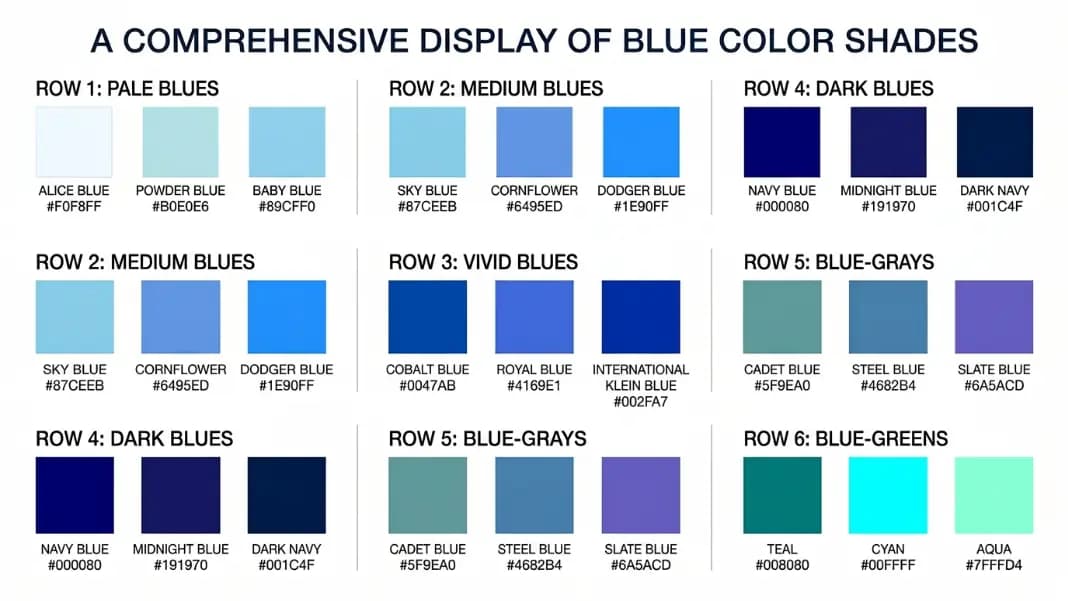
Shades of Blue: All 19 CSS Blue Color Names with HEX Codes and Visual Differences
CSS has 19 named blue shades — more than any other color. Every hex code from navy (#000080) to aliceblue (#F0F8FF), with exactly what separates dodgerblue from cornflowerblue from royalblue so you pick the right one.
15 min read