Free CSS Box Shadow Generator Online
This CSS box shadow generator lets you build box shadows visually using slider controls for horizontal offset, vertical offset, blur radius, spread radius, color, and opacity. A live preview element updates instantly as you adjust each value. Toggle inset mode for inner shadows, pick from ready-made presets, and copy the complete box-shadow CSS declaration with a single click. Free, no account needed.
box-shadow: -46px -30px 0px -7px rgba(0, 0, 0, 0.59);
CSS box-shadow syntax explained
The box-shadow CSS property accepts the following values in order:
box-shadow: [inset] <offset-x> <offset-y> <blur-radius> <spread-radius> <color>;

/* Examples */
box-shadow: 0 4px 16px rgba(0, 0, 0, 0.12);           /* soft drop shadow */
box-shadow: 0 1px 2px rgba(0,0,0,0.08), 0 8px 24px rgba(0,0,0,0.06); /* layered */
box-shadow: inset 0 2px 8px rgba(0, 0, 0, 0.25);       /* inner shadow */
box-shadow: 0 0 0 3px #3B82F6;                         /* focus ring */
- offset-x: positive values push the shadow right, negative values push it left.
- offset-y: positive values push the shadow down, negative values push it up.
- blur-radius: 0 produces a sharp hard edge. Higher values create a soft, diffuse shadow.
- spread-radius: positive values expand the shadow beyond the element boundary, negative values shrink it.
- color: any valid CSS color value. Use
rgba()to control opacity, or use the color format converter to get the right format. - inset: optional keyword that moves the shadow inside the element instead of outside.
CSS box shadow bottom only
A CSS box shadow bottom effect restricts the shadow to below the element, removing any visible shadow on the sides. The technique uses a negative spread value to pull the shadow inward, combined with a zero X offset and a positive Y offset:
/* Soft bottom-only shadow */
box-shadow: 0 8px 16px -4px rgba(0, 0, 0, 0.20);

/* Tighter bottom-only shadow for cards */
box-shadow: 0 4px 12px -6px rgba(0, 0, 0, 0.30);

/* Bottom shadow with visible cast */
box-shadow: 0 12px 20px -8px rgba(0, 0, 0, 0.25);
The negative spread value (the fourth number) pulls the shadow edges inward by that many pixels, preventing the shadow from wrapping around the sides of the element. Adjust the Y offset and spread together: if you increase Y, increase the negative spread proportionally to keep the shadow contained below the element. This is one of the most common shadows used for navigation bars, sticky headers, and card components.
Inner box shadow CSS (inset)
An inner box shadow in CSS uses the inset keyword to render the shadow on the inside of the element border. Toggle the Inset switch in the generator above to enable inset mode. All controls work identically to the outer shadow. The only difference is where the shadow is rendered.
/* Pressed button state */
box-shadow: inset 0 2px 6px rgba(0, 0, 0, 0.30);

/* Recessed input field */
box-shadow: inset 0 1px 4px rgba(0, 0, 0, 0.15);

/* Deep inset panel */
box-shadow: inset 0 4px 16px rgba(0, 0, 0, 0.25), inset 0 1px 3px rgba(0, 0, 0, 0.15);

/* Top-only inset shadow */
box-shadow: inset 0 6px 12px -4px rgba(0, 0, 0, 0.20);
Inset shadows are commonly used for toggle switches in the off state, search input fields, textarea backgrounds, and any surface that should appear sunken into the page. You can combine an inset shadow with an outer shadow on the same element by separating the two values with a comma.
Layering multiple box shadows for realistic depth
A single CSS box shadow rarely looks as natural as two or three shadows stacked together. Real physical shadows have a sharp, dark component close to the object and a soft, diffuse component that spreads far away. You can replicate this by layering multiple box shadow CSS values separated by commas:
/* Elevation level 1 — subtle card lift */
box-shadow: 0 1px 3px rgba(0,0,0,0.08), 0 4px 12px rgba(0,0,0,0.05);

/* Elevation level 2 — modal or popover */
box-shadow: 0 4px 8px rgba(0,0,0,0.10), 0 16px 40px rgba(0,0,0,0.08);

/* Elevation level 3 — overlay or drawer */
box-shadow: 0 8px 16px rgba(0,0,0,0.12), 0 32px 64px rgba(0,0,0,0.10);

/* Hard flat shadow (offset, no blur) */
box-shadow: 4px 4px 0px #1F2937;
The first value in the list renders on top. Design systems like Material Design and Tailwind UI use layered shadow scales to communicate elevation consistently across all components. Build the shadow colors to match your brand palette using the color palette generator if you want colored shadows rather than neutral black ones.
CSS box shadow presets and when to use them
The generator includes ready-made shadow presets for the most common UI patterns. Here is what each one is for:
- Lifted: a strong layered shadow that makes a card or button look raised well above the page. Good for primary call-to-action cards.
- Soft Float: a large, very diffuse shadow at low opacity that creates a gentle floating effect. Suited to content cards and modal dialogs on white backgrounds.
- Hard: a sharp offset shadow with no blur, inspired by brutalist and retro UI styles. Works on buttons and image frames in bold design systems.
- Neon Violet / Neon Cyan: layered glowing shadows using vivid colors at low opacity. Used for interactive elements in dark-themed UIs, dashboards, and gaming interfaces.
- Sides: equal shadows on both left and right edges. Creates a depth effect for vertical sidebars and panels.
- Pressed: an inset shadow that simulates a button being pushed down. Apply this on
:activestate to make button interactions feel tactile.
Box shadow CSS for common UI components
Different UI components call for different shadow approaches. Here are the most practical patterns:
/* Focus ring (replaces outline) */
box-shadow: 0 0 0 3px rgba(59, 130, 246, 0.5);

/* Input field focus state */
box-shadow: 0 0 0 2px #3B82F6, inset 0 1px 3px rgba(0,0,0,0.10);

/* Dropdown / popover menu */
box-shadow: 0 4px 6px rgba(0,0,0,0.07), 0 12px 32px rgba(0,0,0,0.08);

/* Sticky navbar bottom border effect */
box-shadow: 0 1px 0 rgba(0,0,0,0.08);

/* Tooltip */
box-shadow: 0 2px 8px rgba(0,0,0,0.18), 0 1px 2px rgba(0,0,0,0.12);
Using box-shadow: 0 0 0 Npx color (spread-only, no blur) is a common technique for focus rings because it does not affect layout like an actual border does. Run your focus ring color against the page background through the WCAG contrast checker to confirm it meets the 3:1 minimum required by WCAG 2.1 SC 1.4.11 for UI components.
Shadow color: choosing the right hue and opacity
Most UI shadows use a near-black color at low opacity, such as rgba(0, 0, 0, 0.12), because neutral shadows look natural on any background color. Colored shadows, where the shadow hue matches or complements the element color, add a glow effect that works well for buttons and cards in design systems with strong brand colors.
On dark backgrounds, you will need higher opacity values since the contrast between a dark shadow and a dark background is low. A shadow that reads well at 0.12 opacity on white may need 0.40 opacity or more on a dark surface. Always check your shadow in both light and dark contexts if your project supports both themes. Use the CSS gradient generator if you want to combine a gradient background with a shadow for layered depth.
Frequently asked questions
The CSS box-shadow property takes up to six values in this order: horizontal offset (X), vertical offset (Y), blur radius, spread radius, color, and the optional inset keyword. X controls left-right position: positive moves the shadow right, negative moves it left. Y controls up-down position: positive moves it down, negative moves it up. Blur controls softness: 0 is a sharp hard shadow, higher values produce a soft diffuse shadow. Spread expands or shrinks the shadow beyond the element boundary. Color sets the shadow hue and can include an alpha value for opacity.
To create a CSS box shadow bottom effect, set the horizontal offset (X) to 0 so the shadow does not spread left or right, set a positive vertical offset (Y) to push the shadow downward, use a moderate blur radius, and set a negative spread radius to clip the shadow so it only appears below the element. A common bottom-only shadow is: box-shadow: 0 8px 16px -4px rgba(0, 0, 0, 0.2). The negative spread value pulls the sides of the shadow inward so it stays tightly below the element.
An inner box shadow in CSS uses the inset keyword at the start of the box-shadow value: box-shadow: inset 0 4px 12px rgba(0, 0, 0, 0.3). The inset keyword moves the shadow inside the element border instead of outside it. Toggle the Inset switch in this box shadow CSS generator to enable inset mode. Inset shadows are used for pressed button states, recessed input fields, and carved-in panel effects.
Yes. The CSS box-shadow property accepts multiple comma-separated shadow values applied to the same element. The first value in the list renders on top. A common technique is layering a small sharp shadow close to the element with a larger diffuse shadow further away: box-shadow: 0 2px 4px rgba(0,0,0,0.15), 0 12px 32px rgba(0,0,0,0.1). This produces more natural-looking depth than a single shadow. Copy the output from this generator and add a second value manually for layered effects.
CSS box-shadow follows the rectangular box model boundary of the element regardless of its shape or transparency. filter: drop-shadow() follows the actual visible outline of the element, including transparent areas, so it works correctly on irregular shapes like PNG icons or SVG graphics. box-shadow supports inset mode and multiple stacked values; filter: drop-shadow() does not support either. Use box-shadow for cards, buttons, and rectangular UI elements, and filter: drop-shadow() for icons and images with transparent backgrounds.
A neon CSS box shadow effect uses two layered shadows with the same color: one small and intense close to the element, and one large and diffuse further out. Set X and Y offsets to 0, use a spread value of 4 to 8px for the inner glow, and a spread of 20 to 40px with lower opacity for the outer bloom. For example: box-shadow: 0 0 12px 4px rgba(139,92,246,0.7), 0 0 40px 12px rgba(139,92,246,0.3). Use a vivid saturated color for the glow and a dark background to maximize the effect.
Set both X and Y offsets to 0 and use a spread value to expand the shadow evenly on all sides. This creates a flat uniform glow around the element rather than a directional shadow: box-shadow: 0 0 0 3px #3B82F6. Setting spread without any blur creates a sharp outline that behaves like a border. This technique is commonly used for focus rings and selected state indicators without using an actual CSS border.
For UI cards on white or light backgrounds, use a very dark color like #000000 or #1F2937 at low opacity between 0.06 and 0.20. Avoid saturated colors for natural shadows. A reliable starting point is: box-shadow: 0 1px 3px rgba(0,0,0,0.08), 0 8px 24px rgba(0,0,0,0.06). For cards on dark backgrounds, increase opacity slightly to around 0.30 to 0.50 since the contrast between the shadow and background is reduced.
Related articles

CSS Named Colors: Complete List with Hex Codes
All 148 CSS named colors with hex codes and RGB values, including which are aliases, which version of CSS added them, and the story behind rebeccapurple.
11 min read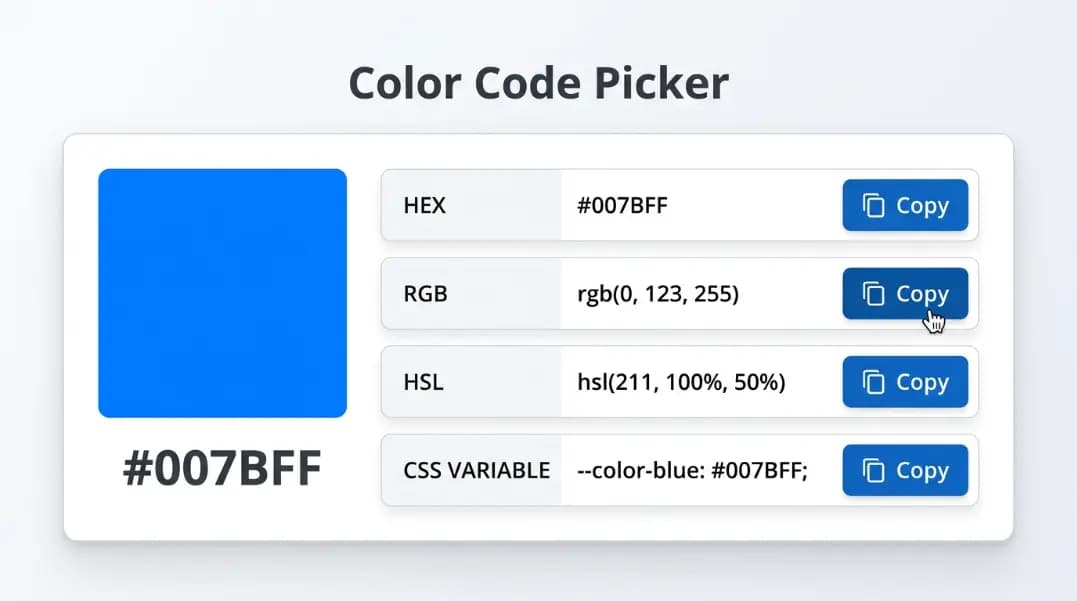
CSS Color Formats: HEX, RGB, HSL and When to Use Each
Learn CSS color formats: HEX, RGB, RGBA, HSL, HSLA, CSS variables, and Tailwind JIT. Understand exactly which format to use and why, with a free converter.
11 min read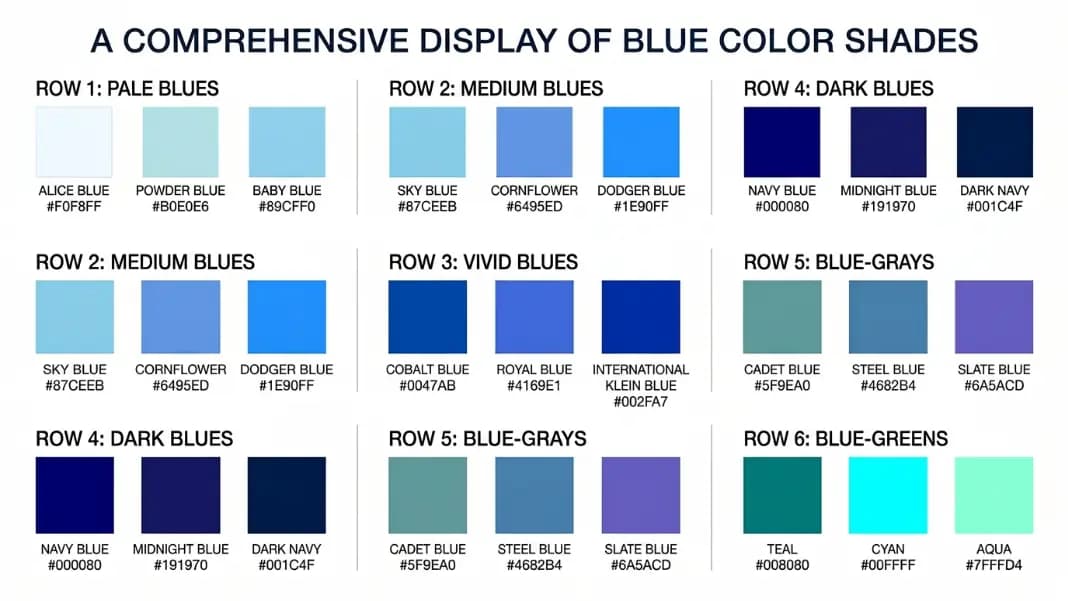
Shades of Blue: All 19 CSS Blue Color Names with HEX Codes and Visual Differences
CSS has 19 named blue shades — more than any other color. Every hex code from navy (#000080) to aliceblue (#F0F8FF), with exactly what separates dodgerblue from cornflowerblue from royalblue so you pick the right one.
15 min readRelated tools
CSS Gradient Generator
Build linear, radial, and text CSS gradients with live preview.
WCAG Contrast Checker
Test foreground and background color pairs against WCAG 2.1 AA and AAA.
Color Format Converter
Convert HEX to RGB, HSL, RGBA for use in shadow color values.
Color Palette Generator
Generate a 5-color palette from any starting hue or uploaded image.