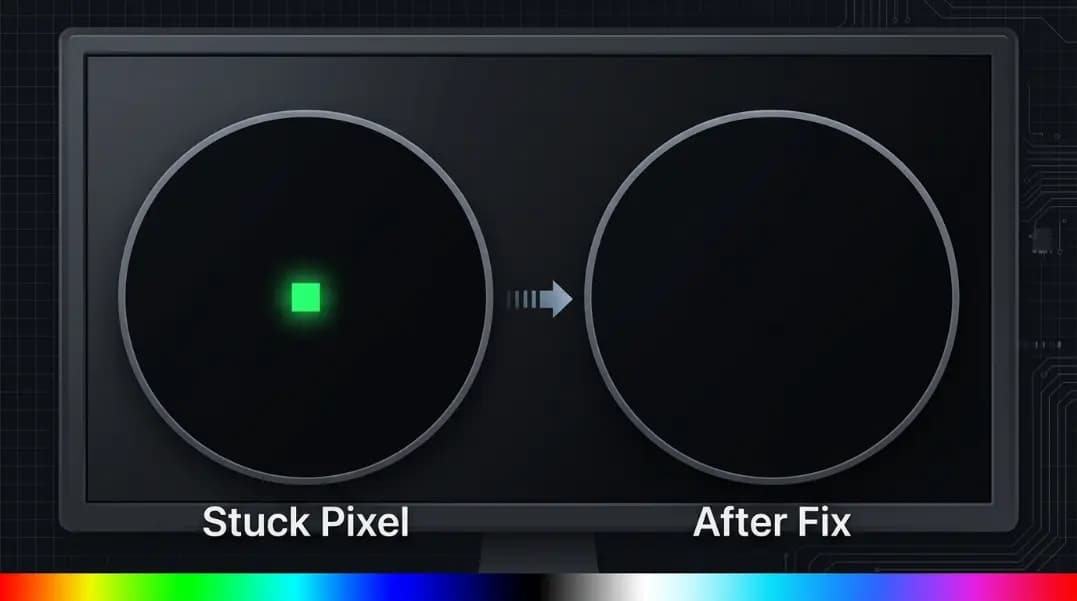
You run a dead pixel test and find a small green dot that stays lit regardless of which solid color fills the screen. Against red, it glows green. Against white, still green. Against black, obviously green. That is not a dead pixel. It is a stuck pixel, and the distinction matters because one can sometimes be recovered and the other cannot.
The stuck pixel fixer at ToolCenterHub cycles your screen through rapid color sequences designed to reset stuck transistors. This guide covers what actually happens inside the display when a pixel gets stuck, what the fixer does mechanically, which techniques work on which display types, how long to run it, and when to accept that the pixel will not recover.
What Is a Stuck Pixel?
Every pixel on an LCD or OLED display is controlled by a thin-film transistor (TFT). Under normal operation, the transistor switches on and off thousands of times per second to produce the image. A stuck pixel is a pixel whose transistor has locked into a permanently-on state. The transistor continues receiving power and continues emitting light, but it cannot switch off or change state.
The result is a pixel that stays lit in a fixed color regardless of what the screen is supposed to show. Stuck pixels most commonly appear as red, green, or blue because those are the three subpixel channels. A pixel with all three subchannels stuck produces a white dot. A pixel with one subchannel stuck in a mid-state may appear as a dim or washed-out color.
This is different from a dead pixel in a specific way: a dead pixel's transistor has failed permanently and receives no power at all. The dead pixel stays dark. The stuck pixel's transistor is still functioning, just locked. That locking is sometimes reversible.
Stuck Pixel vs Dead Pixel: The Transistor Mechanism
Understanding the difference is what makes the fixer approach make sense.
A normally operating LCD transistor switches between two states: open (allowing light through the liquid crystal layer) and closed (blocking light). The control signal from the display driver tells it which state to be in for each refresh cycle. In a stuck pixel, the transistor locks into the open state and stops responding to the control signal. It is stuck on, not broken.
A dead pixel's transistor has physically failed. The component itself has degraded or shorted. No control signal can reach it. It stays dark because it receives no power to operate.
| Pixel Type | Transistor State | Appearance | Recoverable? |
|---|---|---|---|
| Stuck pixel | Locked on (open) | Lit in fixed color | Sometimes, with cycling |
| Dead pixel | Failed (no power) | Permanently dark | No |
| Partially stuck | One subchannel locked | Dim or off-color | Sometimes |
| Dying pixel | Intermittent failure | Flickers or changes color | Rarely |
The practical test: run a dead pixel test and cycle through all eight solid colors. A stuck pixel will be visible as a colored dot that remains the same color across every background. A dead pixel will appear as a black dot on every background, most visible on white.
How the Stuck Pixel Fixer Works
The stuck pixel fixer runs the selected screen area through rapid, high-frequency color transitions. Red, green, blue, white, and black flash in sequence many times per second. At 60Hz, that is 60 full color cycles per second. Some implementations run faster.
This rapid cycling does two things at the transistor level:
Electrical cycling: Each color transition is a change in the voltage signal sent to the transistor. Rapid voltage changes force the transistor to attempt to switch states repeatedly. For a transistor that is stuck due to an electrical anomaly, this repeated switching signal can clear the fault state and restore normal operation, similar to cycling power on a tripped circuit.
Micro-thermal cycling: Rapid color changes generate small amounts of heat at the pixel level. The thermal expansion and contraction from this cycling can physically shift the transistor's components enough to break a stuck contact. This effect is minor but contributes to recoveries in cases where the transistor is stuck due to a physical micro-fault rather than an electrical one.
Neither effect is guaranteed to work. They address two specific failure causes. Physical damage to the transistor, such as from impact or a manufacturing defect, produces a failure mode that cycling cannot reverse.
The Pressure Technique: LCD Only
On LCD displays, there is a second technique that can complement the fixer: gentle physical pressure applied to the stuck pixel area while the fixer runs.
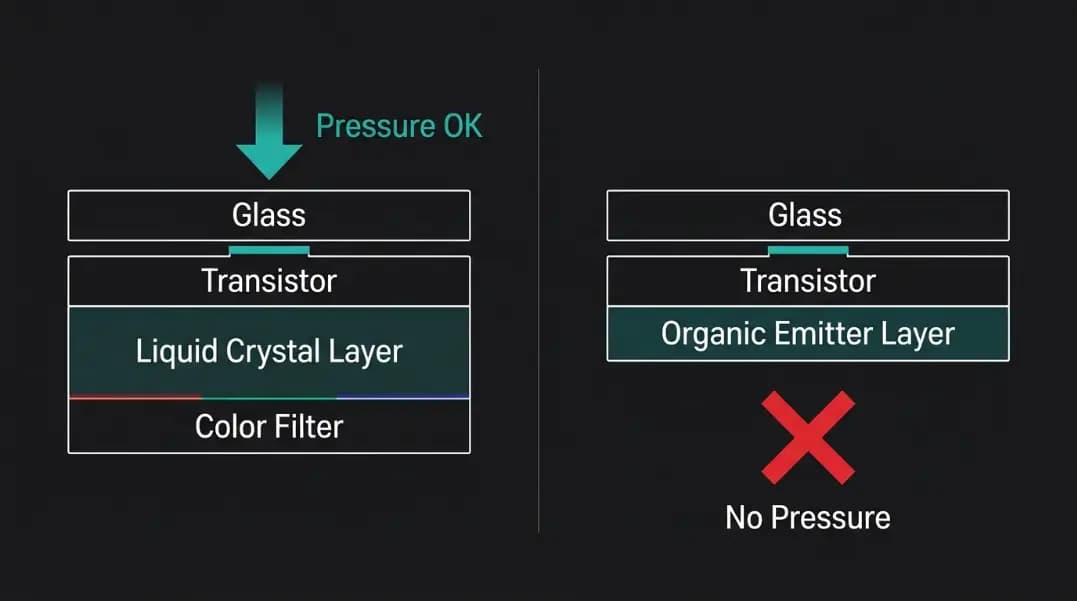
LCD pixels work by controlling the orientation of liquid crystal molecules between two glass layers. When light passes through these molecules in one orientation, the pixel is on. In the other orientation, it is off. A stuck pixel on an LCD sometimes has liquid crystal molecules that have become physically misaligned, holding the open position regardless of the transistor's signal.
Applying gentle pressure to the area can physically coax those crystal molecules to shift, allowing the transistor's control signal to realign them. The standard method:
- Open the stuck pixel fixer and set it to run over the affected area
- Dampen a soft cloth or use a blunt-tipped stylus covered in cloth
- Apply very light pressure to the exact location of the stuck pixel on the screen surface
- Maintain gentle pressure for 10 to 15 seconds, then release
- Repeat while the fixer continues running
The key word is gentle. Pressing too hard causes pressure marks on the LCD panel, which appear as dark blotches that take minutes to hours to clear and in severe cases become permanent.
Do not use the pressure technique on OLED screens. OLED displays do not use liquid crystals. They generate light directly through organic material layers. Applying pressure to an OLED can permanently distort the organic emitter layer, turning a stuck pixel problem into a larger dark-pressure spot that cannot be reversed.
How Long to Run the Stuck Pixel Fixer
The 30-minute mark is the key threshold. Most stuck pixel recoveries that happen at all show visible progress within the first 30 minutes of cycling. Progress can look like:
- The stuck dot changes color (from bright green to a different shade, or from primary to white)
- The stuck dot reduces in intensity without disappearing
- The stuck dot flickers occasionally when it was previously solid
Any of these changes indicates the transistor is responding. Continue running for another 30 to 60 minutes. Full recovery means the dot disappears completely when viewed against the background colors where it should be invisible.
If there is no change at all after 2 hours of continuous cycling, stop. The pixel has not responded to electrical or thermal cycling, which means the failure is likely in the physical transistor structure. Further cycling will not change the outcome.
Run the fixer in sessions rather than continuous overnight operation. Leaving a high-frequency flashing screen running unattended on a laptop for extended periods generates heat that stresses adjacent components. Two sessions of 30 to 60 minutes with time in between is more appropriate than a single 4-hour run.
OLED Screens: Why the Rules Are Different
OLED displays can appear to have stuck pixels, but the underlying cause is frequently different from LCD stuck pixels.
On OLED, the most common cause of a persistent bright spot is burn-in, not a stuck transistor. Burn-in occurs when the organic material that generates light in an OLED pixel degrades from sustained operation at high brightness. A pixel that has been displaying a bright static element, such as a taskbar icon, a HUD element in a game, or a status bar indicator, for thousands of hours can have its organic emitter wear down. The worn emitter still generates some light even when the control signal says to be dark, producing a dim persistent glow in that area.
Burn-in and a stuck transistor produce similar symptoms: a persistent bright spot. The distinction:
| Characteristic | Stuck Transistor | OLED Burn-in |
|---|---|---|
| Appearance | Single pixel, fixed solid color | Area or shape matching a prior static element |
| Behavior across colors | Exact same color on all backgrounds | Faint ghost visible on some backgrounds |
| Response to cycling | May recover within hours | Does not recover |
| Affected display type | LCD (primary), OLED (rare) | OLED only |
| Physical pressure fix | Sometimes (LCD only) | No |
If the bright spot on your OLED matches the shape of something that was displayed for a long period, it is burn-in. Color cycling cannot restore organic material that has degraded. Running the fixer on an OLED for a burn-in case will not cause harm, but it will not help either.
For confirmed OLED burn-in, some manufacturers provide a pixel-refresher function in the display settings. This is a low-level cycle designed for the OLED panel specifically and is more effective than a browser-based color fixer for addressing genuine burn-in in its early stages.
After the Fix Attempt: What to Do Next
If the pixel recovered: Run the dead pixel test through all eight solid colors to confirm the pixel is fully gone and not just less visible in certain colors. A partial recovery can still leave a faint artifact in some colors even when it appears fixed in others.
If the pixel did not recover: The pixel is functionally dead. At this point, the options are warranty action or acceptance.
Check the warranty status of your display. Most display manufacturers follow ISO 9241-302 defect thresholds: typically three to five defective pixels of the most visible type before a warranty replacement is authorized. Some premium monitors carry zero-defective-pixel guarantees. A single stuck pixel on a budget panel may not meet the replacement threshold.
Document the pixel location and appearance with a photo taken against a white background before contacting the manufacturer. The dead pixel warranty guide covers the ISO defect class system and how to document a pixel defect for a warranty claim. If the panel has multiple stuck or dead pixels, the guide to dead pixels on monitors covers how to map defect locations and assess whether the count qualifies for replacement.
If the display is within the return window (typically 14 to 30 days from purchase), a single unrecovered stuck pixel is often sufficient grounds for a return or exchange depending on retailer policy, even if it falls below the manufacturer's warranty threshold.