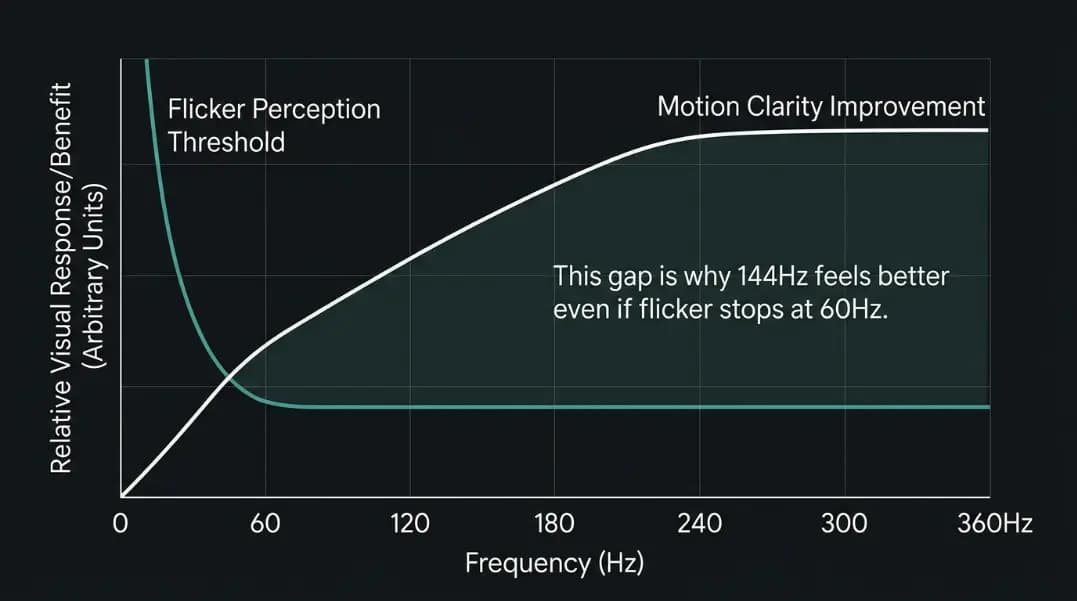
The claim "humans can only see 60Hz" appears in online discussions so frequently that many people treat it as established fact. It is not. The statement confuses two different properties of human vision: the threshold at which a light source stops appearing to flicker, and the visual system's ability to track motion and process frame-by-frame information. These are separate phenomena with different limits.
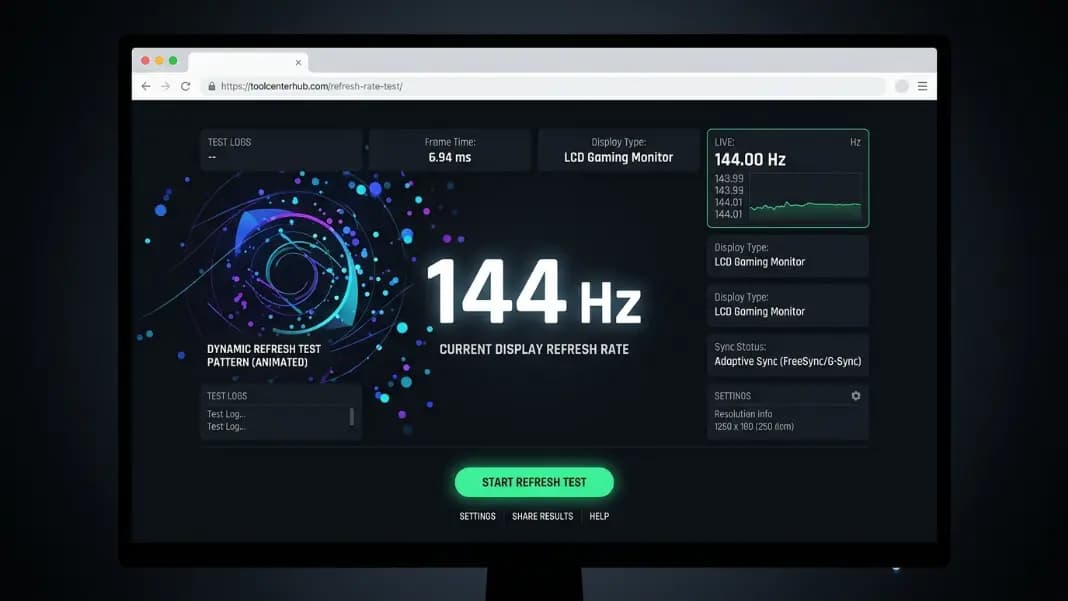
Before the science, a practical note: knowing what your eyes can perceive is only useful if your display is actually running at its rated Hz. The refresh rate test tool measures what your monitor is genuinely outputting in real time. A display set to 60Hz in Windows while nominally rated at 144Hz is the single most common reason people report not seeing a difference after upgrading their monitor.
This guide covers the flicker fusion threshold, how motion blur works at the display level, what studies on pilot perception and gaming reaction time actually showed, why cinema uses 24fps, and at what Hz tier improvement becomes difficult to perceive.
What Is the Critical Flicker Fusion Threshold?
The critical flicker fusion threshold (CFF) is the point at which a pulsating or flickering light source appears steady to the human observer. Below the threshold, you see the flicker. Above it, the light appears continuous.
Under average indoor lighting conditions, the CFF for most adults falls between 55Hz and 65Hz, with an average around 60Hz. This is the origin of the "humans see at 60Hz" claim. It is technically accurate for one very specific property: the point at which a direct light source stops visibly flickering.
The CFF is not constant. It rises with brightness. Under high-intensity conditions, the CFF can reach 90Hz or higher for normal-sighted adults. This is why early CRT monitors running at 60Hz caused visible flicker when set to high brightness, while the same frequency at lower brightness felt acceptable.
The CFF also varies by retinal area. The peripheral retina (the edges of your visual field) detects flicker at higher frequencies than the central fovea (the region responsible for sharp, focused vision). This means a display that appears stable when looked at directly may produce visible peripheral flicker at the same frequency.
Why the Flicker Threshold Is Not the Refresh Rate Limit
The CFF measures one thing: does a steady-state light appear to flicker. It does not measure:
- How clearly the visual system processes motion in sequential frames
- How much blur the eye perceives on moving objects
- How quickly the brain can respond to visual changes
- How accurately the eye tracks a moving target between display updates
A display running at 60Hz does not appear to flicker to most people, which means the CFF threshold has been crossed. But crossing the flicker threshold is not the same as reaching the limit of visual processing. The two are measured by different psychophysical tests, and they produce different results.
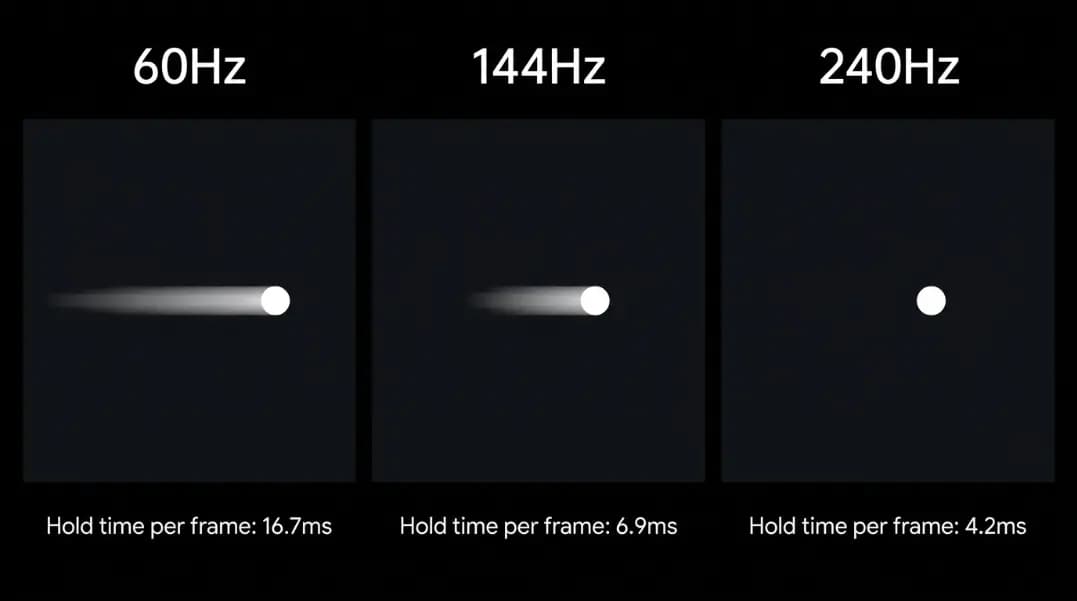
Research on smooth pursuit eye movements, the mechanism by which the eye tracks a moving object, shows that the eye continuously moves between display updates. When the display shows a static frame for 16.7ms, the eye moves during that interval while the image stays fixed. The brain perceives this as blur. At 144Hz, the static interval is 6.9ms. Less time passes, less blur accumulates.
This is the basis of sample-and-hold blur: a property of all modern display technologies where each frame is displayed as a static image until the next update. Blur from this effect decreases as frame rate increases, and the improvement is perceptible well above 60Hz.
What Studies on Human Refresh Rate Perception Actually Found
The USAF visual perception research established that trained human observers can perceive individual images displayed for as little as 1 to 2 milliseconds. That is the equivalent of a single frame in a display running between 500Hz and 1,000Hz. This does not mean pilots see in 500Hz, but it establishes that human visual processing does not stop at 60Hz or any similar low threshold.
A 2014 MIT study found that the human brain processes images viewed for as little as 13 milliseconds, which corresponds to a single frame at approximately 75Hz. The study demonstrated identification-level processing, not just flicker detection.
Multiple studies on gaming performance have shown measurable reaction time improvements when subjects move from 60Hz to 144Hz and from 144Hz to 240Hz displays. A 2020 study published in display research literature found that subjects using 240Hz displays showed statistically significant improvements in target acquisition timing compared to 144Hz displays, with the improvement scaling proportionally to the Hz increase.
The diminishing returns curve looks roughly like this:
| Hz Upgrade | Benefit Category | Typical Perceptibility |
|---|---|---|
| 60Hz to 144Hz | Motion blur reduction, reaction time | Nearly universal |
| 144Hz to 240Hz | Further blur reduction, reaction time | Visible to most gamers |
| 240Hz to 360Hz | Marginal blur reduction, minimal reaction time | Primarily at professional competitive level |
| 360Hz and above | Approaching measurement limits | Requires controlled conditions to detect |
Why Cinema Uses 24fps and What It Actually Means
The 24 frames per second standard for cinema was set in the late 1920s as the minimum frame rate at which a projected film appeared smooth rather than flickering to theater audiences.
The key mechanism: early film projectors used a rotating shutter that briefly blocked light between frames to allow the film to advance. To control flicker without increasing film consumption (expensive), projectors added extra shutter blades that interrupted the light multiple times per frame. A 24fps film through a three-blade shutter delivers 72 light pulses per second. The effective flicker rate for the audience is 72Hz, which is above the average CFF threshold.
Cinema established 24fps as the shooting standard. The audience sees something above the flicker threshold because of the projector mechanism, not because 24fps is perceptually ideal. This is why film at 24fps feels smooth on screen but individual frames extracted from it show significant motion blur.
When Peter Jackson released The Hobbit: An Unexpected Journey in 48fps in 2012, audiences widely reported the film looked different. Some described it as too smooth or as resembling a behind-the-scenes video rather than a feature film. This is the soap opera effect: humans have been conditioned to associate 24fps motion cadence with cinematic production. 48fps or 60fps is objectively less blurry, but it violates the learned aesthetic expectation.
This association is cultural conditioning, not a visual limit. It does not apply to gaming, where the goal is fast information processing rather than artistic cadence.
How Sample-and-Hold Blur Works
Every LCD and OLED display is a sample-and-hold system. Each frame is displayed as a static image until the next frame replaces it. During that static interval, your eyes continue moving.
When you track a moving target across the screen, your eyes move smoothly (smooth pursuit), but the display updates in discrete steps. Your eyes are in the right position to see the target, but the display shows where the target was, not where your eyes are tracking. Your brain perceives this as blur on the moving object.
At 60Hz, each frame is held for 16.7ms. At 144Hz, it is 6.9ms. At 240Hz, it is 4.2ms. The shorter the hold time, the closer the display update matches where the eyes are tracking, and the less blur accumulates.
This is why motion clarity on a 60Hz display often looks worse than on a 144Hz display even when both show the same content: the blur is a consequence of the display technology and the hold duration, independent of what is being displayed.
Some monitors address this with backlight strobing: the backlight briefly turns off between frames, eliminating the hold period and reducing sample-and-hold blur significantly. This can make a 60Hz display with backlight strobing appear sharper in motion than a 144Hz display without it, though the 60Hz version still delivers fewer unique frames per second.
At What Hz Does Improvement Become Hard to Perceive?
For casual use, most people stop noticing meaningful improvements around 120 to 144Hz. The jump from 60Hz to 120Hz is large enough that nearly everyone perceives it immediately. The jump from 120Hz to 144Hz is smaller but still consistent. Above 144Hz, the improvement in everyday desktop use and non-competitive gaming becomes harder to detect without controlled comparison.
For competitive gaming, the improvement curve extends higher. Players whose success depends on reacting quickly to fast-moving targets report perceptible advantages at 240Hz compared to 144Hz. The reaction time data supports this for tasks involving fast visual stimulus processing.
Above 360Hz, the benefits require controlled experimental conditions to measure. This does not mean they are absent; it means they fall below the threshold of everyday perception for most people without direct side-by-side comparison.
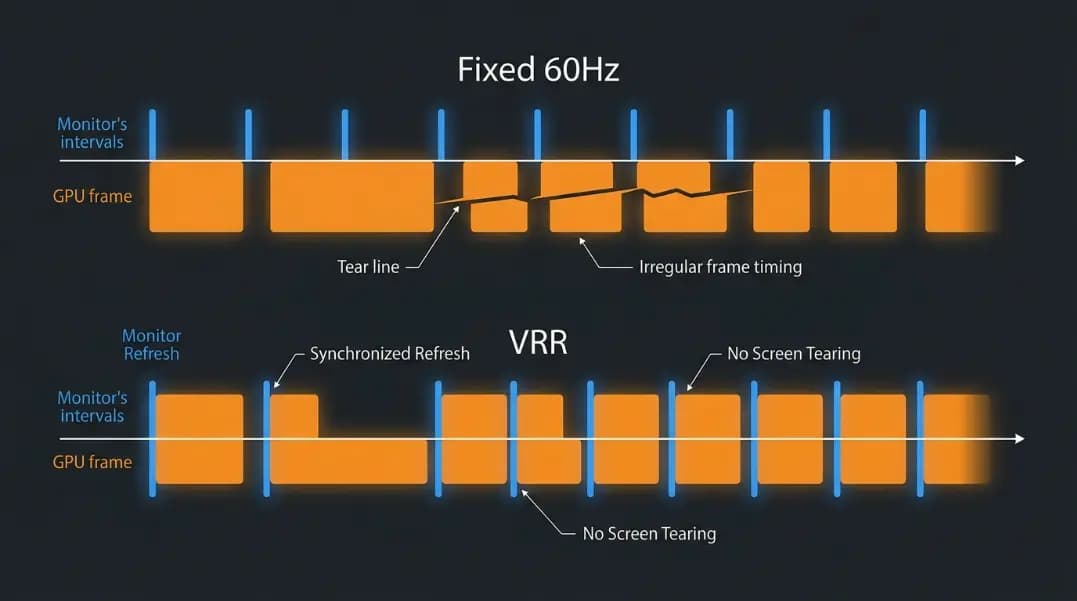
The best refresh rate for gaming guide covers which Hz tier makes sense for your GPU and game genres. The refresh rate vs FPS guide explains the relationship between what your GPU renders and what your display can show. To understand the variable refresh rate technology that keeps the two aligned, see the variable refresh rate guide.
Practical Implications for Display Decisions
Knowing that human vision continues benefiting above 60Hz changes how you evaluate monitor upgrades. The relevant question is not "can I see above 60Hz" but "what is my specific use case and what Hz tier serves it."
For document work, web browsing, and video: 120 to 144Hz produces noticeably smoother scrolling compared to 60Hz. The motion cadence of scrolling text and pages is the most immediately perceptible improvement for office work.
For gaming: 144Hz is the practical minimum for any game type where motion speed matters. 240Hz produces measurable benefits for competitive first-person shooters where reaction time to fast targets determines outcomes.
For video production and creative work where screen motion is limited to the interface rather than game content: 60Hz is sufficient for most workflows, though 120Hz makes the interface feel more responsive.
Verify your current display output before evaluating an upgrade. The refresh rate test tool shows your actual Hz in real time. Consult the monitor refresh rate guide if your display is not outputting its rated frequency, which is a common and easily fixed configuration issue.