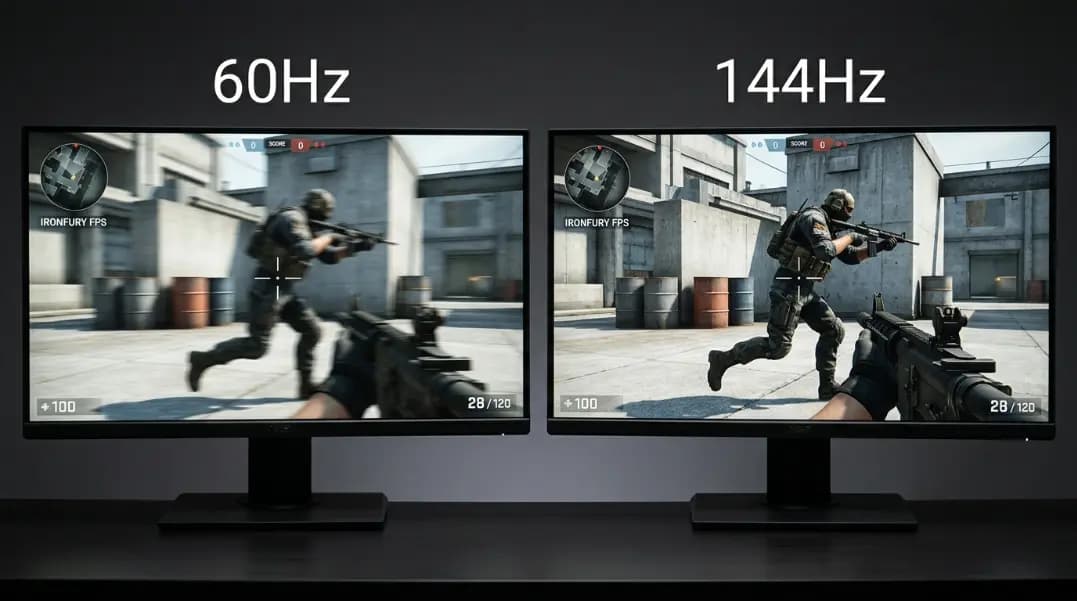
Refresh rate and FPS are produced by different hardware, measured in different units, and controlled by different systems. A monitor cannot change how many frames a GPU renders. A GPU cannot change how often a monitor refreshes. These two numbers meet at the frame buffer, and the nature of that interaction determines everything visible on screen. A 144Hz monitor delivering 55 FPS from the GPU behaves identically to a 60Hz monitor at 55 FPS: the monitor refreshes 144 times per second, but 89 of those refreshes repeat the same frame.
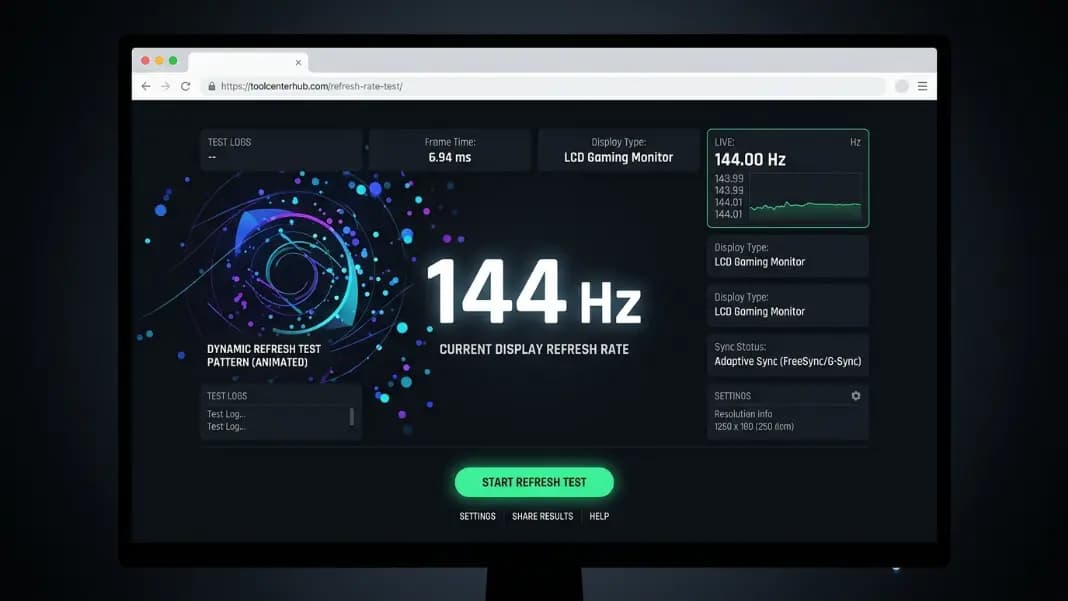
Start by verifying your actual display output with the refresh rate test tool. Confirm your monitor is genuinely running at 144Hz before troubleshooting anything else. Once that is confirmed, understanding the relationship between Hz and FPS determines whether your current GPU is the bottleneck.
This guide explains the Hz and FPS distinction precisely, how screen tearing forms, what V-Sync and VRR do differently, when high FPS above your monitor Hz matters, and how to find the right FPS target for your specific setup.
What Hz and FPS Actually Measure
Refresh rate (Hz) is a fixed property of your monitor panel. A 144Hz panel updates its displayed image 144 times per second on a fixed hardware clock, regardless of any other factor. The monitor does not know or care what FPS the GPU is producing. It refreshes on schedule.
FPS (frames per second) is a variable output of your GPU. The number changes with scene complexity, resolution, graphics settings, and the game or application running. A game rendering a detailed outdoor scene at maximum settings might deliver 60 FPS. The same game in a simple menu might deliver 400 FPS. The GPU renders as fast as it can given the workload.
These two numbers operate independently:
| GPU FPS | Monitor Hz | Result |
|---|---|---|
| 40 FPS | 144Hz | Monitor refreshes 144x, GPU provides 40 unique frames |
| 144 FPS | 144Hz | Perfect match, each refresh shows a new frame |
| 200 FPS | 144Hz | Monitor shows 144 frames, 56 GPU frames are never displayed |
| 60 FPS | 60Hz | Same as above: each refresh shows a new frame |
| 200 FPS | 60Hz | Tearing likely, excess frames unseen |
The confusion arises because the two numbers interact at the display level. The monitor can only show what the GPU provides, and the GPU's output is only visible within the monitor's refresh budget.
Average FPS, however, is not the complete picture of how smooth a game will feel. Two setups both reporting 100 FPS average can feel completely different. If one delivers frames at consistent 10ms intervals, each monitor refresh shows a timely new frame. If the other clusters frames unevenly (several at 3ms, then a gap of 35ms, then more at 3ms) the viewer perceives stutter even though the average looks identical. This inconsistency in frame delivery timing is called frame pacing. Hardware reviewers measure it through a metric called 1% lows: the average frame time of the slowest 1 in every 100 frames rendered. A 1% low at 70 percent or more of average FPS indicates consistent frame delivery. A 1% low below 60 percent of average FPS indicates enough irregular gaps that stutter will be noticeable during play, regardless of what the average shows. Matching average FPS to monitor Hz is the starting point; consistent frame pacing is what makes that match feel smooth.
How Screen Tearing Forms
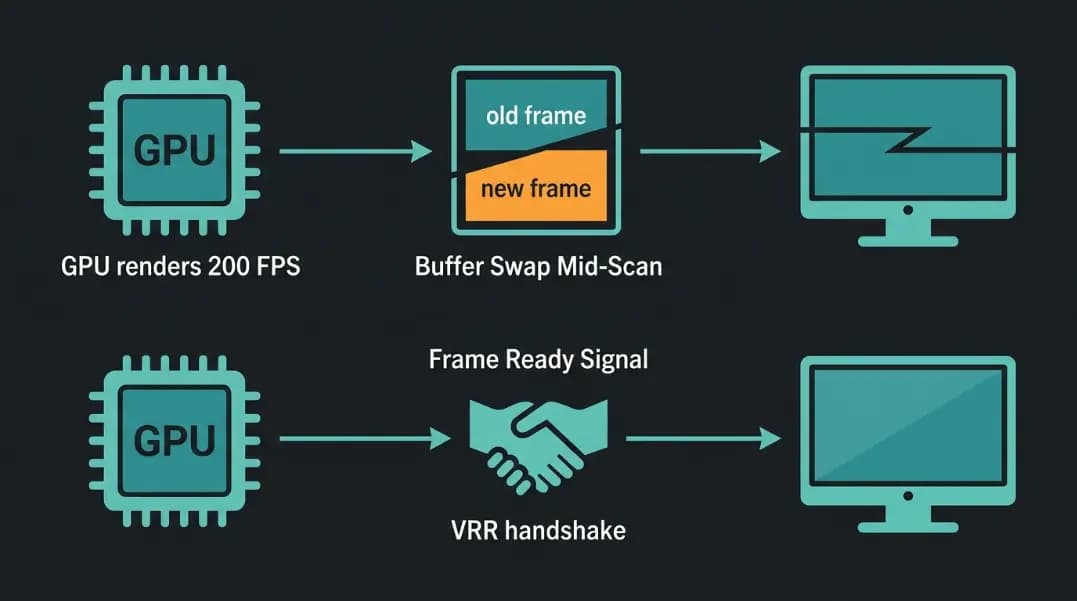
Every display has a scan-out process. The image is written to the frame buffer by the GPU. The monitor reads that buffer from top to bottom during each refresh cycle. The scan begins at the top of the screen and ends at the bottom, after which the next refresh cycle begins.
Tearing happens when the GPU writes a new frame to the frame buffer while the monitor scan is in progress. The monitor reads the top portion of the screen from the old frame and the bottom portion from the new one. Where the scan was mid-screen at the buffer write, a horizontal discontinuity appears. You see frame N on top and frame N+1 on bottom, separated by a visible line.
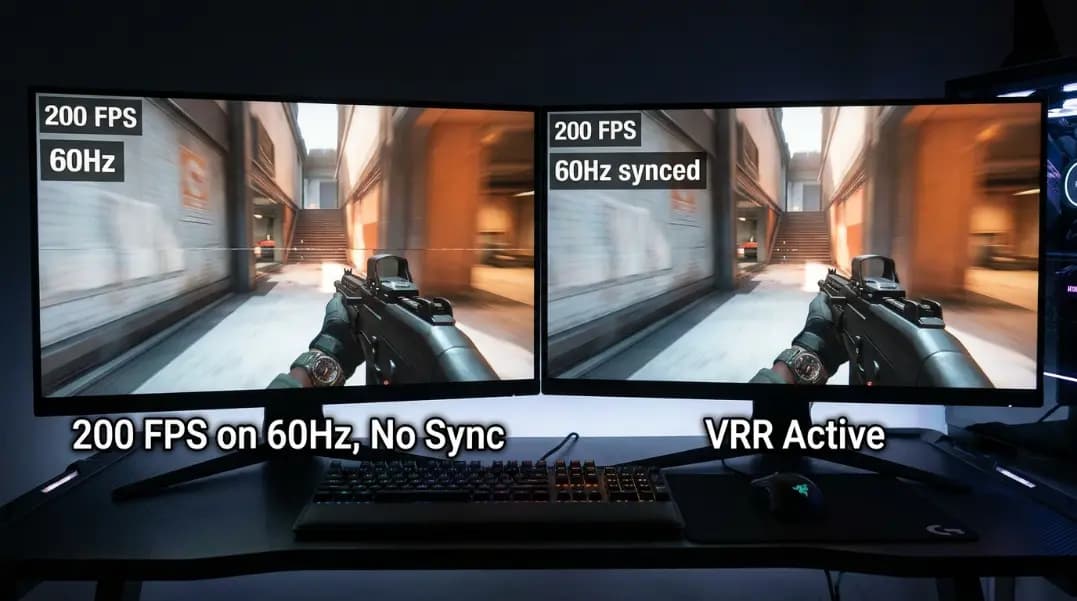
Tearing is more frequent when FPS is high relative to Hz. At 200 FPS on a 60Hz display, the GPU writes a new frame every 5ms while the monitor refreshes only every 16.7ms. The GPU is much more likely to be writing a new frame when the monitor scan begins, because it writes frames much more frequently than the monitor reads them.
At exactly matched FPS and Hz (e.g., both at 60), tearing is rare but not impossible, because the two clocks are independent and will drift relative to each other over time.
What V-Sync Does and Why It Adds Lag
V-Sync (vertical synchronization) solves tearing by synchronizing the GPU's buffer write to the monitor's refresh cycle. The GPU renders a frame and then holds it in the buffer until the monitor begins its next refresh cycle before swapping. The buffer swap only happens at the very start of a refresh, so the monitor always reads from a complete frame.
The cost is timing: the GPU finishes a frame and waits for the next monitor refresh. That wait adds latency. At 60Hz, the GPU may wait up to 16.7ms. At 144Hz, up to 6.9ms.
A secondary problem: if the GPU misses a refresh cycle (it did not finish the frame in time), V-Sync holds the previous frame for another full cycle. On a 60Hz display with V-Sync, if your GPU produces 59 FPS, the display drops to effectively 30 FPS because every other frame misses its refresh window. This stutter pattern is common in demanding games with V-Sync enabled and variable GPU performance.
Triple buffering partially addresses this. With triple buffering, a third frame buffer allows the GPU to begin rendering the next frame while the previous one waits for the refresh sync. This reduces stutter because the GPU does not idle during the wait. However, triple buffering can increase frame age: the frame displayed at any moment may be older than in double-buffer V-Sync because it was queued earlier.
The Role of Variable Refresh Rate
Variable refresh rate removes the fundamental problem by making the monitor adapt to the GPU rather than the GPU adapt to the monitor. See the variable refresh rate guide for full coverage of G-Sync, FreeSync, and HDMI VRR. The core mechanic is: the GPU signals the monitor when a frame is complete, and the monitor refreshes at that moment. No fixed clock conflicts. No buffer-swap wait.
The result is tearing eliminated without V-Sync's lag penalty. VRR introduces its own small latency (roughly 0.5 to 3ms) from the frame-ready signal mechanism, but this is a fraction of the frame-length delays V-Sync imposes.
VRR requires both monitor and GPU support and operates within the monitor's rated Hz range (typically 40 to 144Hz or similar). Outside that range, VRR is inactive and the display reverts to fixed-rate behavior.
When High FPS Above Monitor Hz Still Matters
When your FPS significantly exceeds your monitor's Hz without any sync technology, every frame the GPU renders above the Hz ceiling is never displayed. On a 60Hz monitor at 200 FPS, 140 GPU frames per second are discarded.
However, there is one meaningful benefit: input latency. Each monitor refresh displays the most recent completed frame in the GPU's buffer at the time of the refresh. At 200 FPS, the GPU completes a new frame every 5ms. At 60 FPS, every 16.7ms. When the monitor refreshes, the frame it displays at 200 FPS is at most 5ms old. At 60 FPS, it could be up to 16.7ms old.
This is pre-render latency: the age of the frame when it is displayed. High FPS reduces the maximum age of the displayed frame, lowering the overall input-to-display latency even on a fixed-Hz monitor.
The tradeoff is tearing. To capture the latency benefit of high FPS without tearing, either use VRR (if FPS is within range) or use a frame limiter set slightly below the monitor's Hz ceiling to reduce tearing frequency while maintaining better frame age than a full V-Sync lock.
Frame Rate Targets by Monitor Hz Tier
The practical FPS to aim for depends on your monitor's Hz and your sync approach:
| Monitor Hz | Without Sync | With VRR | With V-Sync |
|---|---|---|---|
| 60Hz | Any FPS (tearing above 60) | 40-60 FPS ideal | Lock to 60 FPS |
| 144Hz | Any FPS (tearing above 144) | 60-144 FPS ideal | Lock to 144 FPS |
| 240Hz | Any FPS (tearing above 240) | 100-240 FPS ideal | Lock to 240 FPS |
For V-Sync use, set a frame limiter to 1-3 FPS below the monitor maximum to reduce the chance of V-Sync drop-to-half stutter at the boundary.
For VRR use, aim to keep FPS within the rated VRR range consistently. A GPU that spends most of its time above 144Hz on a 144Hz VRR monitor is wasting the VRR benefit. A GPU that regularly drops below the VRR minimum floor triggers the reversion-to-fixed behavior. Match GPU performance to the Hz tier for consistent VRR activity.
Diagnosing Your Setup
If your monitor displays at 144Hz but your game does not feel different from 60Hz, the most likely causes are:
GPU FPS is below 80. A 144Hz monitor delivering 60 FPS is not better than a 60Hz monitor. Check in-game FPS counters or GPU monitoring software.
V-Sync is enabled and FPS drops to 72 or 48. V-Sync on a 144Hz monitor drops to half (72Hz) or a third (48Hz) intervals when the GPU misses a refresh. Disable V-Sync and enable VRR instead if supported.
Monitor is actually running at 60Hz. This is the most common single cause. Run the refresh rate test tool to confirm the actual output. Consult the monitor refresh rate settings guide to set the correct Hz in Windows if needed.
Cable type limits the Hz. HDMI 1.4 cannot carry 144Hz at 1080p. DisplayPort or HDMI 2.0 is required. Check your cable type and the port you are using on the GPU.
Understanding the Hz and FPS interaction is the foundation for the rest of the display performance picture. The variable refresh rate guide covers the sync technology in detail. For the right Hz tier for gaming by genre and GPU, see best refresh rate for gaming. For understanding what human vision can actually perceive above 60Hz, see the human eye and refresh rate.