Every classroom has the same dynamic. A teacher asks a question and looks around the room. The same few hands go up. The students who know the answer raise their hand and wait. The students who are less sure look at the floor, hoping not to be called on. The teacher picks from the hands, the same pattern repeats, and a large portion of the class stays passive for the entire lesson.
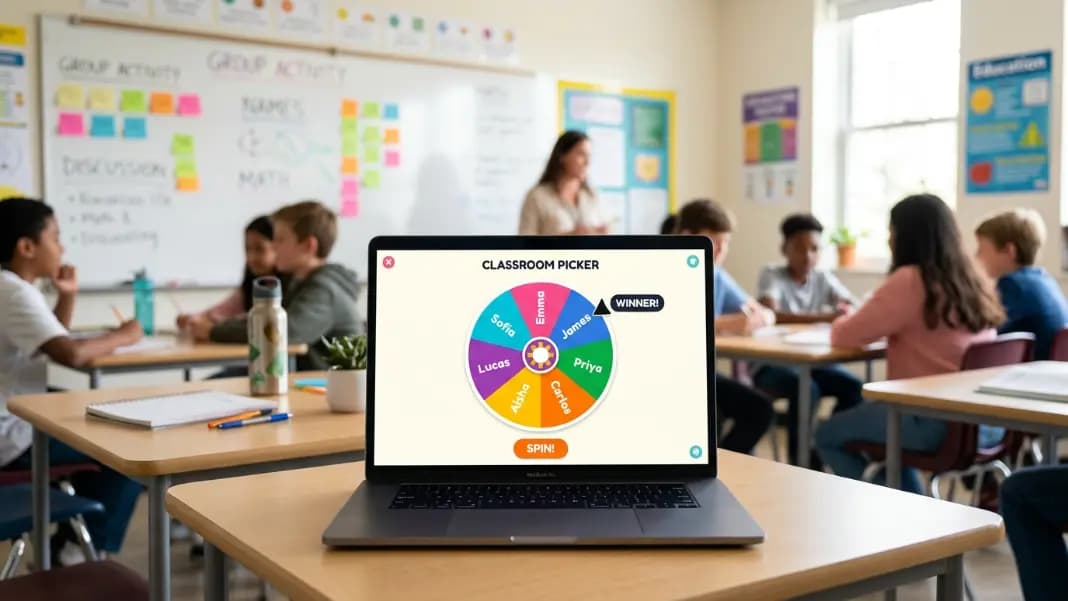
A name wheel spinner changes that dynamic without requiring any drama. It is a digital spinning wheel with one name per segment. The teacher spins, the class watches, and whoever the wheel lands on answers the question. No hands, no favoritism, no pattern. Just a visible random draw that keeps everyone alert because anyone might be next.
That is the core use case, but it is far from the only one. Name wheel spinners show up in team standups, giveaways, game nights, group projects, and live streams. The same tool works in all these contexts because the underlying need is the same: pick one person from a group in a way that is fair and that everyone can see.
How a name wheel spinner works
The Wheel Spinner tool divides a circular wheel into equal segments, one for each name you add. When you spin, the wheel rotates and decelerates over a few seconds before stopping on one segment. The result is determined by a cryptographic random function before the animation begins, so the spin itself is just a visual representation of a genuine random draw.
Because each name occupies the same arc on the wheel, each has the same probability of being selected. A class of 25 students gives each student a 4% chance of being picked on each spin. A team of 8 people gives each person a 12.5% chance. The odds do not change based on who has been picked recently unless you remove names from the wheel between spins.
You can add names by typing them directly into the wheel interface, one name per segment. Most tools let you edit, remove, and reorder entries as needed. Once your list is set up, the wheel remembers your configuration until you clear it.
Setting up a name wheel for your classroom
The setup takes about two minutes the first time. After that, you are spinning within seconds of opening the tool.
Open the Wheel Spinner and clear the default segments if there are any. Add each student's name as a separate segment. First names work fine for most classrooms. If you have two students with the same first name, add a last initial to distinguish them.
Once the names are in, spin to test. The wheel will land on one name at random. If everything looks right, you are ready to use it in class.
A few practical adjustments that teachers commonly make:
Remove the winner after each spin. If you are working through the whole class, remove each name after it comes up so the wheel shrinks as you go. Everyone gets called on before anyone is called twice. This is more efficient than letting the same students get picked repeatedly by chance.
Leave names in for daily randomness. If your goal is general engagement over time rather than calling on every student in one session, leave all names in. Some students will get picked more than once before others are picked at all, but over many sessions the distribution evens out. This approach requires less management.
Weight extra-credit names. If a student earned a bonus entry for something, add their name twice. The double segment doubles their probability. This works well for incentive systems where earning entries into a draw is part of the reward structure.
Why visible random selection works better than quiet selection
Teachers who switch to a name wheel spinner often report the same shift: students pay more attention.
When random selection is invisible, meaning the teacher just picks someone, students who do not expect to be called on disengage. They assume the teacher has a pattern or a preference and that they are not part of it. Students who always get called on continue to pay close attention, but the rest of the class knows they are not likely to be picked.
Visible randomness removes that assumption. Every student can see the wheel and every student knows their name is on it. The brief spin animation creates a moment of genuine uncertainty. The class goes quiet. People sit up. When the wheel stops, everyone knows the selection was fair because they watched it happen.
This is not a trivial effect. Student engagement during question-and-answer sections of a lesson increases noticeably when selection is visibly random, because disengagement was partly rational. Students were correctly predicting they would not be called on and adjusting their attention accordingly. Random selection removes that prediction.
Using a wheel of names for team meetings
The same principle applies in professional settings. In a team standup or retrospective, if the facilitator always calls on people in the same order or always starts with the same person, others disengage while they wait. A name wheel spinner shuffles the order and keeps everyone present.
Practical uses in team contexts:
Standup order. Instead of going around the table in a fixed direction, spin the wheel to pick who goes first, then spin again for the next person, removing each name as it comes up. The meeting feels less mechanical and people stay more engaged because they do not know when they will be called.
Volunteer selection for undesirable tasks. Nobody wants to take notes, manage the meeting agenda, or give the first draft review. A wheel spin makes the assignment visibly random and removes the awkwardness of someone having to ask for a volunteer and waiting in silence.
Decision-making in small groups. Combined with the Yes or No Wheel, a name wheel spinner lets you pick who makes a decision randomly when the group is stuck. This distributes decision authority over time and avoids the same person always being the tiebreaker.
Retrospective participation. In a retrospective where you want to hear from everyone, spin the wheel to determine who shares first. People who might hold back in an open format are more likely to participate when they were visibly picked at random rather than volunteering.
Running giveaways with a name wheel spinner
A name wheel spinner is one of the most transparent ways to run a giveaway. The visual spin shows every participant that the process was genuinely random, which builds trust in the result.
For a straightforward giveaway, enter each participant's name as one segment and spin once. The wheel lands on the winner.
For a tiered giveaway where some participants earned multiple entries, add their name twice or three times to give them proportionally more segments. Someone with two entries has twice the probability of a single-entry participant.
For live-stream giveaways, the spinning animation is part of the entertainment. Viewers watch the wheel slow down and can see exactly whose name it is approaching before it stops. This is more compelling than announcing a winner from an offscreen list because the audience experiences the selection in real time.
A few things that make giveaway draws more credible:
Show the full wheel before spinning so participants can confirm their name is included. Spin in one uninterrupted session rather than stopping and restarting. Read the winner's name out loud as soon as the wheel stops. Take a screenshot or screen recording so you have a record of the draw.
Name wheel spinners for game nights and social situations
Beyond classrooms and offices, name wheel spinners show up in social contexts where picking a person randomly is part of the game.
Truth or dare. Add everyone's names to the wheel, spin to pick who goes next, and spin a second wheel or use a separate tool to pick truth or dare.
Party games. Any game where you need to assign roles, pick who starts, or select who completes a challenge benefits from a visible random selection.
Chore assignment. Add household members to the wheel and assign weekly chores at random. It sounds small but removing the sense that one person always gets the worst chore reduces a consistent source of friction.
Secret Santa and gift exchanges. Use a name wheel to determine the giving order or to assign names when doing the exchange in person. Having everyone watch the draw makes the assignment feel fair.
For other randomness tools that complement a name wheel, the Random Tools section includes number generators, coin flips, and decision wheels that cover different selection needs.
Tips for getting consistent results
A few habits make a name wheel spinner more effective over time.
Keep your list updated. If a student leaves the class or a team member moves to a different project, remove their name. An outdated wheel that occasionally lands on someone who is no longer in the group breaks the flow and undermines confidence in the tool.
Use consistent name formatting. If most names on the wheel are first names and one entry is a full name, it will look odd when the wheel lands on it. Pick a format and apply it to everyone.
Don't re-spin without a clear reason. If the wheel lands on someone and you spin again because it was inconvenient, you are undermining the fairness of the whole process. If a student is absent, remove their name before spinning rather than re-spinning when they come up. Establishing a consistent policy about re-spins keeps the selection credible.
Use the tool the same way every time. Students and team members notice inconsistency. If the wheel spinner is used for some decisions and personal selection is used for others without explanation, people start to wonder why certain situations get the wheel and others do not. Using it consistently builds the trust that makes it effective.
Building topical authority around random selection
A name wheel spinner sits within a broader set of tools for random decision-making. Understanding how different tools relate helps you pick the right one for each situation.
A wheel spinner handles custom lists of any kind, not just names. A number generator handles picking from a numerical range. A yes or no wheel handles binary decisions. Each tool is optimized for a different type of random selection.
For name-based selection specifically, the wheel format has advantages over a number generator or list randomizer because the visual spin is visible to the group. In situations where the audience matters, specifically where the selection needs to be witnessed to be credible, a wheel spinner is the right format.
If you are building a random selection workflow for a classroom or team setting, starting with a wheel spinner and expanding to other random tools as specific needs arise covers most situations without overcomplicating the setup.
What makes random name selection worth using regularly
The core argument for a name wheel spinner is not that it saves time, though it does. It is that visible random selection builds a kind of trust that other methods do not.
When people watch a fair process produce an outcome, they accept the result in a way they would not if someone just announced it. Students who are cold-called by a wheel are less likely to feel singled out than students who are cold-called directly. Giveaway participants who watched the wheel spin are less likely to question the fairness of the outcome than participants who received a message saying they won.
The spinning wheel is a physical metaphor for fairness that most people respond to without much analysis. That response is worth something in environments where credibility and buy-in matter, which is most environments where you are making selections from a group.
Set one up for your next class or meeting and see how the room changes when anyone might be next.