You send a quote, hear nothing for a week, then get a reply asking if you can do it cheaper. No reference to the scope, no acknowledgment of what was included, just a request to lower the number. The problem usually starts with the quote itself.
A poorly structured quote gives clients too much room to negotiate because it does not make the value clear. A well-structured quote defines the scope, itemises the work, sets a validity date, and gives the client exactly one question to answer: do you approve this?
The free quote generator produces a professional business quote in your browser without any signup. This guide covers what every quote must include, when to use a quote instead of an estimate, how the quote-to-invoice workflow runs, and the clause most small businesses forget that prevents the most common disputes.
What a business quote actually is
A business quote is a pre-work document. It tells a potential client what a job will cost, what is included in that price, and how long the offer stands. If the client approves it, work starts. If they do not, nothing happens and nothing is owed.
That pre-approval function is what separates a quote from a verbal agreement or a rough number mentioned in a conversation. A verbal price gets misremembered or reinterpreted. A written quote creates a reference point both parties agreed to before any work began.
Quotes are used across almost every service industry: construction and trades, freelance design and writing, consulting, cleaning, catering, event planning, and any business where the price depends on what is being delivered. If you sell custom or large-volume physical goods where the standard price list does not apply, a quote covers that situation too.
The quote is not a contract. It is the price agreement that typically precedes a contract. Some quotes carry acceptance terms that give them contract-level weight, but a standard quote template does not automatically have that status. That distinction matters and is covered later.
What every professional quote must include
A quote missing key fields creates ambiguity the client will fill in their own way, usually in their favour. These are the non-negotiable elements.
Your business details: Name, address, phone, and email. Include a VAT or tax registration number if you have one. The client needs to know who they are agreeing to pay, and the number is a legal requirement in many jurisdictions.
Client details: The client's full name, company name if applicable, and billing address. This matters for professionalism and for any follow-up if a dispute arises.
Quote reference number: A unique identifier for this specific quote. When you follow up, the client can reference the number. When the invoice is issued later, it ties back to the approved quote cleanly.
Issue date and expiry date: When the quote was created and when it expires. Without an expiry, the client can return six months later expecting the same price. Standard validity is 14 to 30 days.
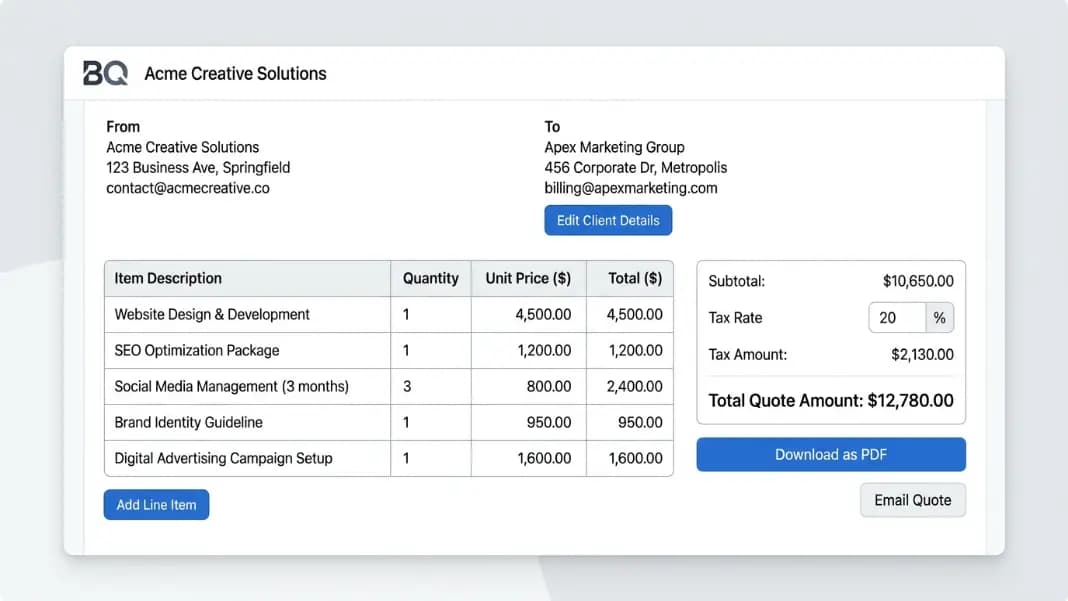
Itemised line items: Each product or service listed separately with quantity, unit price, and line total. Lump-sum quotes invite disputes. Itemised quotes show exactly what the client is paying for and reduce scope creep later.
Subtotal, tax, and total: Clearly separated so the client sees the pre-tax amount, the tax rate and amount, and the final total they will owe on approval.
Payment terms: Net 30, 50 percent upfront and 50 percent on completion, or full payment before delivery. State it here so there is no confusion when the invoice arrives.
Notes and scope exclusions: Anything not included in the price. If your quote covers design but not printing, say so. If travel costs extra, say so. Exclusions on the quote prevent scope arguments after work has started.
How to use the free online quote generator
The quote generator works through each of these fields in sequence. Enter your business name and contact information at the top, then your client's details. Add a quote number manually or let the generator create one.
Add line items by entering a description, quantity, and unit price for each service or product. The generator calculates line totals and the overall subtotal automatically. Set a tax rate and the tax amount is calculated. The total updates as you add or remove items.
Set the issue date and expiry date in the date fields, add payment terms and any scope exclusions in the notes section, and download the completed document as a PDF. The PDF format is professional and ready to attach to an email or send directly.
Practical notes for using the generator well:
Be specific in your descriptions. "Website design" tells the client nothing and does not protect you if they later claim the scope was different. "Homepage and five interior pages, two rounds of revisions, final delivery as Figma files and exported HTML" is a description that leaves nothing open to interpretation.
Use the notes section to name what is excluded. "This quote does not include copywriting, photography, or hosting costs" is a sentence that prevents at least three common post-project disputes.
Set the expiry date to reflect your real constraints. If material costs could change in two weeks or your schedule is nearly full, a short expiry creates appropriate urgency and protects you from honouring a price that is no longer viable.
Quote vs estimate: which document to send
These two documents are not interchangeable, and sending the wrong one creates friction.
A quote commits you to a fixed price for a defined scope. When the client approves it, you do the work for that price. If the scope changes, a revised quote or a change order handles the adjustment, but the original price stands for the original scope.
An estimate is an approximation. You are telling the client this job will cost roughly this amount, but the final total depends on actual time, materials, or conditions that cannot be fully determined in advance. Repair work, renovation projects, and anything where the full scope of the problem is unknown until work starts often call for an estimate rather than a quote.
The decision rule: if you can fully define the job before starting, send a quote. If completing the job will reveal additional requirements that affect cost, send an estimate and make it explicitly clear that the final total may differ.
Sending a quote when an estimate is more accurate sets you up for a difficult conversation when the bill is higher. Sending an estimate when a fixed quote is possible signals uncertainty in your pricing, which can undermine confidence with a new client before you have started.
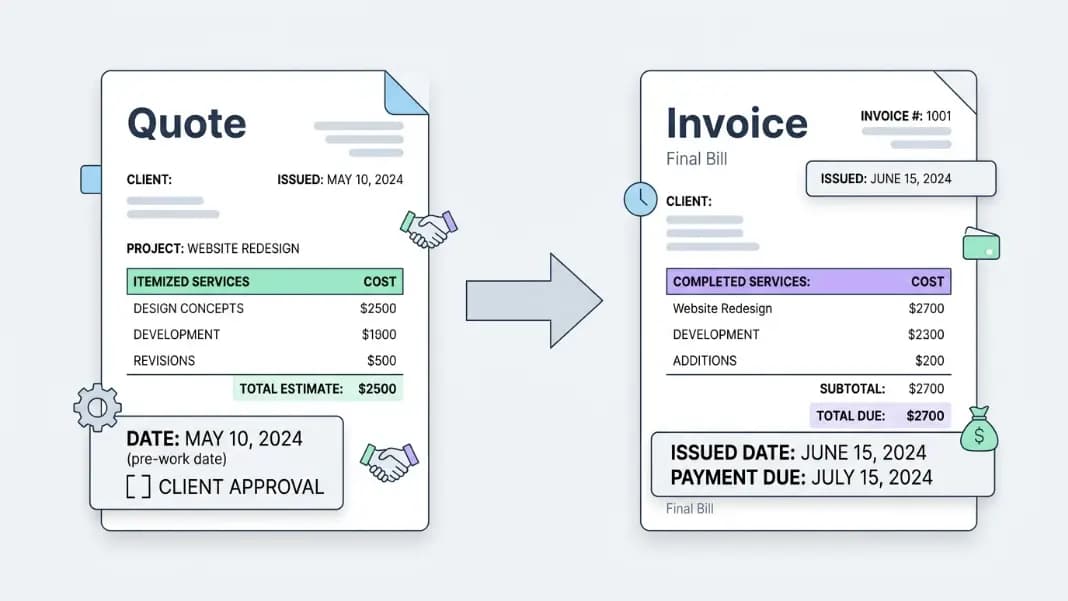
Quote vs invoice: the document order that matters
These two documents serve completely different purposes at completely different points in the client relationship.
A quote comes before work. It asks the client to approve a price and scope.
An invoice comes after work. It requests payment for work completed.
The workflow: quote sent, quote approved, work starts, invoice issued, payment received. Sending an invoice before the client ever approved a quote is how payment disputes start. The client argues they never agreed to the price. You argue the work was done. Neither position is easy to defend without a signed or accepted quote on file.
The invoice generator handles the billing side of this workflow. For a full breakdown of what belongs in an invoice and how to structure payment terms that hold up, the invoice generator guide covers the invoicing half of the process in detail. For most freelancers and small service businesses, the quote-to-invoice workflow is the entire accounts cycle: quote for the job, invoice when it is done.
How long your quote should stay valid
The expiry date is not a courtesy detail. It does real commercial work.
Without an expiry, a client can hold a quote for months and then accept it when your costs have changed or your schedule no longer has capacity. You are then in the position of either honouring a price that no longer makes sense or explaining why the price you quoted is no longer available. Neither conversation is easy.
Standard validity periods:
- 14 days for short, clearly scoped jobs where scheduling matters
- 30 days for larger projects where the client needs internal approval time
- 7 days when material costs are volatile or your availability is tight
State the expiry as a specific date rather than a duration. "Valid until 30 June 2026" is cleaner than "valid for 14 days from the date of issue," which requires the client to count the days themselves.
When a quote expires and the client comes back wanting to proceed, issue a revised quote with a new date rather than simply extending the old one. A new reference number, new issue date, and new expiry give you a clean record and the option to update pricing if anything has changed.
When a quote needs to become a contract
For small, clearly scoped jobs with low financial exposure, an accepted quote is often enough. The client approves the price, work starts, invoice follows. Most small service transactions run this way without problems.
For larger projects, ongoing relationships, or situations where your time or financial exposure is significant, a formal contract adds protection the quote alone does not provide. A contract addresses what happens if the client cancels mid-project, who owns the work before payment is made, how disputes are resolved, and what liability you accept for the outcome.
The contract generator handles this when you need it. The typical sequence for higher-value work: use the quote generator to establish the agreed price and scope, then follow with a contract for any project where the commitment is substantial. The two documents together, agreed price plus formal terms, give both parties clear expectations before any work starts.
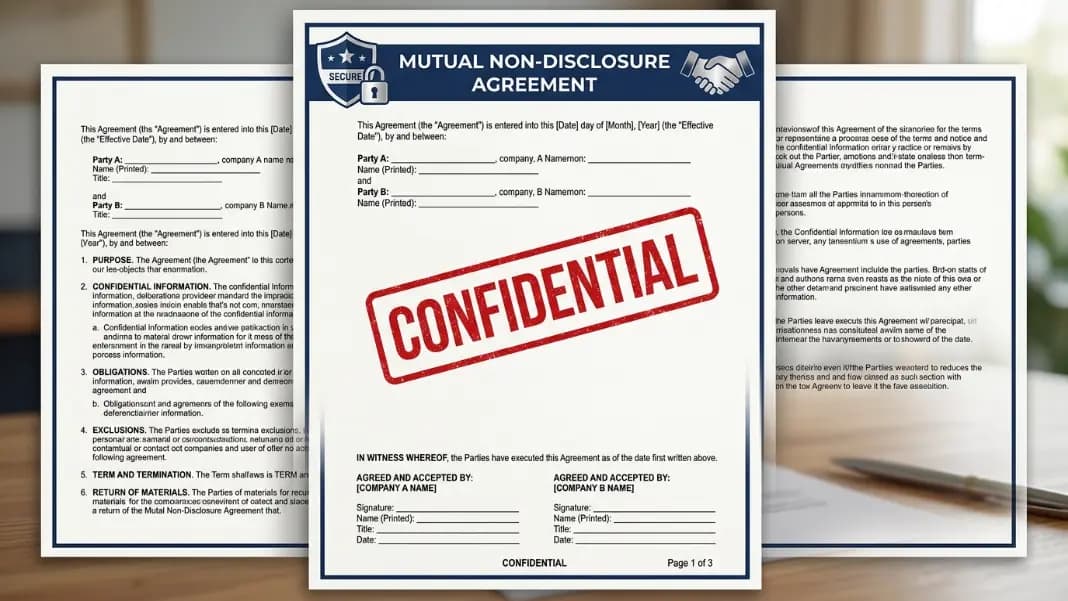
The full documents tools section includes quote, invoice, contract, NDA, and terms of service generators in one place, covering the complete range of client-facing paperwork a freelancer or small business needs.