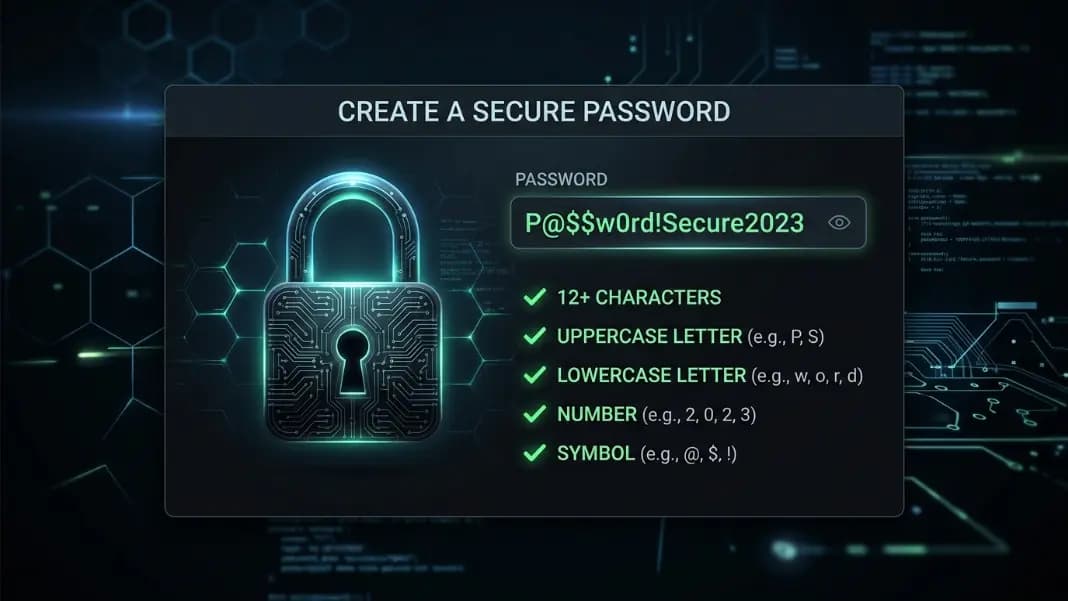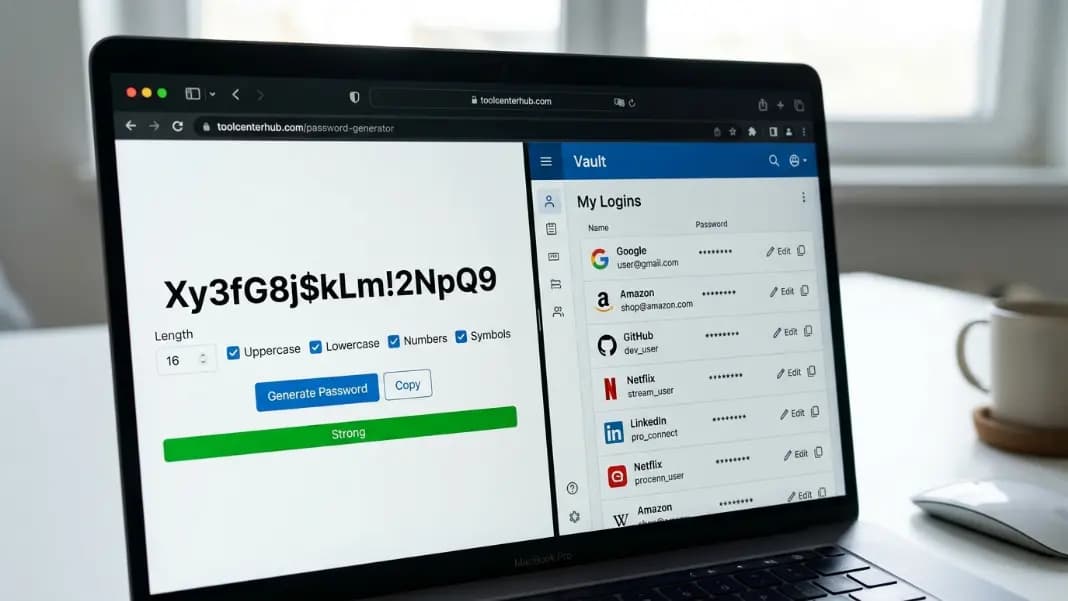
Most people asking this question have already realized that "password123" and their pet's name are not going to cut it. They want to do this properly. The confusion is that two different tools get recommended as the solution, and nobody explains clearly what each one actually does or when you genuinely need both. The password generator and the password manager are not competitors. They solve different problems at different stages of the same workflow.
Understanding what each tool handles and where it stops is the fastest way to figure out which one you need right now and whether adding the second one makes sense for your situation.
What a Password Generator Does and Where It Stops
A password generator takes a set of parameters you specify: length, character types, inclusion or exclusion of certain characters, and produces a random string that meets those specifications. The output is a password. What happens to that password after you see it is entirely your responsibility.
This is the part that catches most people. A standalone generator has no memory. Close the tab and the password is gone. Copy it to your clipboard and it will be overwritten the next time you copy anything. The generator's job ends the moment it displays the result. Everything after that is a storage problem, and the generator does not solve storage problems.
What a well-built generator does solve: the creation problem. Human beings are terrible at generating random strings. We gravitate toward patterns, common words, keyboard sequences, and personal information. A cryptographic generator using the browser's Web Cryptography API produces genuinely unpredictable output with no patterns whatsoever. The guide on what makes a password genuinely strong covers the technical detail of why this matters, but the short version is that password strength is almost entirely a function of true randomness and length.
A standalone generator is the right tool for situations where you have a secure place to store the result already, you are generating a password for a one-time use, or you need a quick random string for something other than a login credential. For everything else, you will need somewhere to put the output.
What a Password Manager Does That a Generator Cannot
A password manager stores credentials in an encrypted vault, typically protected by one master password. When you visit a login page, the manager fills your username and password automatically without you needing to remember or type either. Most modern managers sync across devices so your vault is accessible on your phone, your work laptop, and your home computer.
The encryption part is the critical element. A good password manager encrypts your vault locally before it ever leaves your device. The service provider never sees your actual passwords. If their servers are breached, attackers get encrypted data that is useless without your master password. This is fundamentally different from storing passwords in a spreadsheet or a note app, where the passwords themselves are stored as plain text.
Most password managers include a built-in generator. This is where the two tools overlap, but the manager's generator is more convenient because it can save the generated password to your vault in a single action. Generate and save happens in one step rather than two. You still want to understand how the generation works, which is what creating strong passwords yourself covers, but in day-to-day use the manager handles both ends of the process.
The manager also solves the recall problem entirely. With a generator alone, you either memorize every password you generate (which defeats the purpose of making them random and complex) or you store them somewhere. The manager is that somewhere, built specifically for the purpose.
When a Generator Is All You Actually Need
A standalone generator without a manager makes practical sense in a few specific situations.
You have a small number of accounts, all on devices you control, and you already have a secure system for storing credentials. Some people use encrypted files, hardware security keys, or other approaches that predate password manager software. If your storage solution is already working and you trust it, adding a manager layer does not automatically improve your security.
You need a random string for something that is not a login credential. API keys, encryption passphrases, software license keys, test data, and similar use cases all benefit from a generator but do not belong in a password vault. The generator is the right tool here without any storage component attached.
You are generating a temporary password that you plan to reset immediately. If a new team member needs access to something for an hour and you will rotate the credential afterward, generating a temporary string without storing it is perfectly reasonable. The passphrase approach is worth knowing too for cases where the credential needs to be both secure and temporarily memorable.
For everyone else, meaning most people with more than a handful of accounts across work and personal devices, a generator alone leaves the storage problem unsolved. Which is where the manager comes in.
When a Password Manager Becomes Worth Adding
The turning point is usually one of three things: a breach notification, the moment someone realizes they have reused a password across multiple accounts, or the moment they cannot remember a password they set three weeks ago and end up resetting it for the fourth time.
Any of those moments is the right time to start using a manager. The setup takes an afternoon. You install the manager, import any passwords you have stored elsewhere, and let it audit which credentials are weak, reused, or compromised. Most managers provide this audit automatically and flag the accounts that need new passwords first.
The ongoing cost is low. You remember one master password. The manager handles every other credential automatically. Autofill removes the daily friction of typing complex passwords manually, which is also the reason most people claim they cannot use complex passwords in the first place.
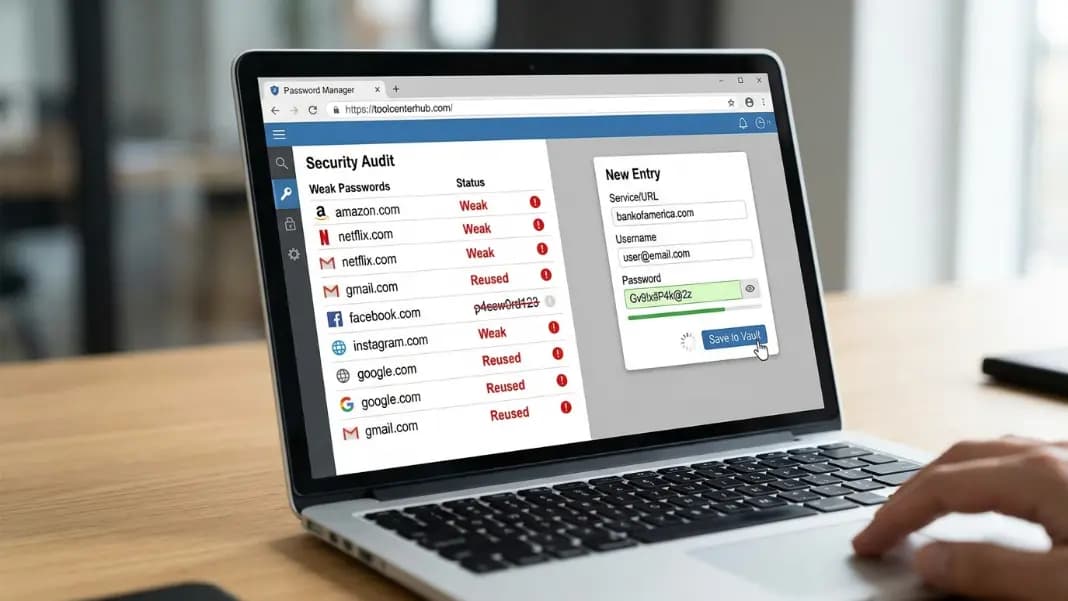
The part people overestimate is the risk of the manager itself being compromised. A reputable manager with proper zero-knowledge encryption means the provider never has access to your decrypted vault. The realistic attack vectors are your master password being weak or phished, your device being compromised by malware before the manager encrypts the data, or you choosing a manager with poor security architecture. None of these are reasons to avoid managers entirely. They are reasons to choose one carefully and use a genuinely strong master password.
Why Using Both Together Is the Right Answer for Most People
The manager handles storage, autofill, and auditing. The generator handles the initial creation of a strong, random credential. In practice, if you use a manager with a built-in generator, you are already using both. But understanding the distinction matters for a few reasons.
If your manager is unavailable, like when you are on a device where it is not installed or during a network issue, a standalone generator lets you create a valid credential without waiting. You can create the password from the generator, use it to complete your registration, and add it to your vault manually when access is restored.
The generator is also useful for credentials that should not live in your main vault. A developer might generate API keys, database passwords, or environment variable values through a standalone generator and store them in a secrets manager or encrypted configuration rather than a personal password vault. The right storage solution depends on the credential type, but the generation tool is the same.
Understanding both tools also helps you evaluate any new password-related product you encounter. If something claims to be a "password manager" but has no encryption details, no zero-knowledge architecture, and no way to export your data, that is a generator with a label attached to it, not a manager. Knowing the difference protects you from handing credentials to a service that is not built to protect them.
The Mistake That Makes Both Tools Ineffective
Generating a strong password and then writing it on a sticky note next to your monitor is a real thing people do. So is generating strong passwords and storing them all in an unencrypted note app on a phone that has no lock screen. The tool solves the creation problem. It cannot solve the judgment problem.
The other mistake is using a weak master password to protect a password manager vault. Every credential you store is only as secure as the master password. A ten-character dictionary word as the master password means the vault is trivially attacked even if every stored credential is a 24-character random string. Use the generator to create your master password and store it somewhere offline the first time, not inside the manager itself.
Both tools together and used thoughtfully produce meaningfully better security than any single tool used carelessly. The combination is only as strong as the weakest decision in the chain.
Where to Start If You Are Not Using Either Tool Right Now
The practical first step is the generator, specifically to audit your current situation. Open the password generator and compare what you currently use for your most important accounts against what a properly generated password looks like. The gap is usually obvious immediately.
If you have more than ten accounts across different services, add a password manager as the second step. Generate a strong master password first, write it down and store it physically somewhere secure, then set up the manager. Import your existing credentials, run the audit, and start replacing weak or reused passwords starting with the accounts that matter most: email, banking, anything tied to your identity or finances.
The developer tools section has the password generator alongside other security tools for anyone building this kind of security setup from scratch. Start with the generator to understand what strong looks like, then add the manager to make it sustainable over time.