Free Text Encryptor Online
This free online text encryptor encrypts any message with a secret key using XOR cipher and outputs a Base64-encoded ciphertext. Decrypt it anytime with the same key. Use it to hide notes, encode messages before sharing, and obfuscate sensitive strings from casual inspection. No signup, nothing sent to any server, runs entirely in your browser.
How to encrypt text online
- Enter a secret key in the key field. This can be any string; the longer and more random it is, the stronger the encryption.
- Type or paste your message into the input area.
- Click Encrypt. The output is a Base64-encoded ciphertext string.
- Copy the ciphertext and share it through any channel. It is unreadable without the key.
- To decrypt: paste the ciphertext, enter the same key, and click Decrypt to recover the original message.
Encrypt a message: use cases for online text encryption
Encrypting a message before sharing it protects the content from anyone who can see the communication channel but does not have the key. Common use cases for this online text encryption tool: hiding API credentials and configuration values in documentation or notes, encoding personal notes stored in shared cloud drives or public-facing files, passing sensitive strings through chat channels or email that may be read by intermediaries, and creating a simple private message that only the intended recipient can decode with a pre-agreed passphrase.
The encrypt message workflow takes about 10 seconds: enter the key, paste the message, click Encrypt, copy the output. The recipient reverses the process with the same key. Because the tool runs entirely in the browser with no server component, neither the key nor the plaintext message ever leaves your device. This is meaningfully different from web-based tools that process encryption on their servers and could theoretically log both the key and the message.
Decrypt text online: recovering the original message
To decrypt text online, paste the encrypted Base64 string into the input field and enter the original key. The tool Base64-decodes the ciphertext, then applies XOR with the key to reverse the encryption and recover the plaintext. The key must match exactly: the same characters, same case, same length. Because XOR is symmetric, the decrypt operation is identical to the encrypt operation at the byte level. Applying the same key twice always returns the original data.
One important behavior of XOR decryption: entering the wrong key does not produce an error message. The tool always produces output, but with the wrong key the output is garbled characters rather than the original message. This is normal behavior for XOR cipher. If decryption produces nonsense, check that the key is character-for-character identical to the one used for encryption, including spacing and capitalization. The encrypted output from this tool always starts as a valid Base64 string. If the ciphertext has been corrupted or truncated, decryption will fail to produce the correct result.
XOR cipher: how text encryption works here
XOR (exclusive OR) is a bitwise operation where the output is 1 if the two input bits are different and 0 if they are the same. Applied to text: each byte of the input message is XORed with the corresponding byte of the secret key. If the message is longer than the key, the key is repeated (cycled) from the beginning. The resulting byte stream is then Base64-encoded so the output is a printable text string rather than raw binary data.
XOR has the mathematical property that (A XOR K) XOR K = A, which is exactly why the same key decrypts what it encrypted. The strength of XOR encryption depends almost entirely on key length relative to message length. When the key is as long as the message and used only once (called a one-time pad), XOR encryption is information-theoretically unbreakable. When the key is shorter than the message and repeats, patterns can emerge that allow frequency analysis attacks. The output of this tool is Base64-encoded, not encrypted. The security layer is entirely the XOR step. The Base64 output encoding has nothing to do with security. For a deeper look at how Base64 encoding works independently of encryption, see the Base64 encoder and decoder.
Choosing a strong encryption key
The security of XOR cipher depends directly on the key. A weak key (a short word, a name, a repeated character) makes frequency analysis possible and significantly reduces the protection. A strong key for XOR encryption should be long (at least as long as the message if maximum security is needed), random (not a dictionary word or phrase), and unique per message (do not reuse the same key for multiple different messages with the same tool).
For practical use, a 20 to 40 character random string provides reasonable security for most casual use cases. Generate a strong random key using the password generator. Set the length to 32 or more characters and enable all character types. Copy the generated password and use it as your encryption key. Never derive the key from predictable information like a birthday, username, or common phrase, since those are the first guesses an attacker would try in a brute-force or dictionary attack.
Encryption vs hashing: key differences
Encryption and hashing both transform input text into an unrecognizable output, but they serve completely different purposes and behave differently. Encryption is reversible: given the key, you can always recover the original plaintext from the ciphertext. Hashing is one-way: a hash function produces a fixed-length digest from any input, and there is no way to recover the original input from the hash alone. Hashes are deterministic (the same input always produces the same hash) and are used for verifying integrity, not hiding content.
Use encryption when you need to recover the original data later using a key. Use hashing when you only need to verify that data has not changed, or to store a fingerprint of data without storing the data itself. Password storage in databases uses hashing (with bcrypt, Argon2, or scrypt), not encryption, because the original password never needs to be recovered. To compute SHA-256 or SHA-512 hashes for integrity verification or API signature workflows, use the SHA hash generator alongside this encryption tool.
When to use stronger encryption
XOR cipher is suitable for lightweight text obfuscation: hiding content from casual inspection, encoding notes in shared storage, and passing non-critical strings through channels where some confidentiality is desired. It is not appropriate for protecting passwords, private keys, financial data, health records, legal documents, or any content where a motivated attacker with cryptographic expertise might attempt to break the encryption.
For genuinely sensitive data, use tools and libraries that implement AES-256-GCM or ChaCha20-Poly1305. Both are authenticated encryption algorithms that are resistant to all known practical attacks and are used to protect banking transactions, government communications, and end-to-end encrypted messaging. These algorithms require no key reuse, provide authentication (detecting if the ciphertext was tampered with), and have no known weaknesses when used correctly. For generating strong unique identifiers alongside encrypted content, the UUID generator creates random identifiers you can use to reference encrypted blobs without embedding identifying information in the identifier itself.
Frequently asked questions
The tool uses XOR cipher combined with Base64 encoding. XOR (exclusive OR) is a symmetric bitwise cipher that applies the XOR operation between each byte of the input text and the corresponding byte of the secret key, cycling through the key when the input is longer. The raw XOR output (which contains arbitrary bytes) is then Base64-encoded to produce a clean, readable string of text characters. The same key and the same process in reverse decrypts the message.
Enter your secret key in the key field, type or paste your message in the input area, and click Encrypt. The encrypted output appears as a Base64 string. Copy that string and share it through any channel. Only someone who knows the exact key can decrypt it. The longer and more random your key, the harder the encrypted message is to break. Use a key of at least 20 characters with mixed letters, numbers, and symbols for reasonable security.
Paste the encrypted Base64 string into the input field, enter the same key that was used to encrypt it, and click Decrypt. The original message appears in the output. The key must be character-for-character identical to the encryption key. A different key does not produce an error; XOR decryption always produces some output, but the result will be garbled random characters rather than the original message.
It depends on the key length relative to the message. With a short or repeated key, frequency analysis can expose patterns and potentially recover the plaintext, which is the main weakness of XOR cipher when the key is shorter than the message. With a key as long as the message that is never reused (a one-time pad), XOR is mathematically unbreakable, as information theory proves. For practical use, a long random key applied to a short message provides strong protection against casual attackers. Against a determined cryptographic attacker with computational resources, use AES-256 instead.
XOR (exclusive OR) is a binary operation where the output bit is 1 if the two input bits differ and 0 if they are the same. Applied to text encryption, each byte of the message is XORed with the corresponding byte of the key. XOR has the property that applying it twice with the same key returns the original value: (A XOR K) XOR K = A. This makes XOR a symmetric cipher: the same key and the same operation both encrypt and decrypt. It is the simplest possible symmetric cipher and forms a component of many modern encryption algorithms including AES and ChaCha20.
Encryption transforms data using a secret key so that only someone with the key can read the original content. Without the key, the output is meaningless. Encoding transforms data into a different representation for compatibility or transmission purposes, with no secret key and no security. Anyone can decode encoded data. Base64 is encoding, not encryption. XOR cipher is encryption. This tool uses XOR for encryption and Base64 for encoding the encrypted output into printable characters. The security comes entirely from the XOR step, not from the Base64 step.
All encryption and decryption runs in your browser with no server involvement, which means your text and key are never transmitted anywhere. From a data transmission standpoint, the tool is safe for any content. From a cryptographic standpoint, XOR cipher with a repeating key is not a modern authenticated encryption standard. It is appropriate for lightweight obfuscation and hiding text from casual observation. For legally sensitive data, medical records, financial information, or anything a well-resourced attacker might target, use a tool based on AES-256-GCM or ChaCha20-Poly1305.
Always share the key through a different channel from the encrypted message. If you send the encrypted text by email, share the key by phone call, in person, or through a separate messaging app. Never include the key and the encrypted message in the same email thread or document. If an attacker can intercept both, the encryption provides no protection. This principle (separating the key from the ciphertext) applies to all forms of symmetric encryption, not just this tool.
Related articles
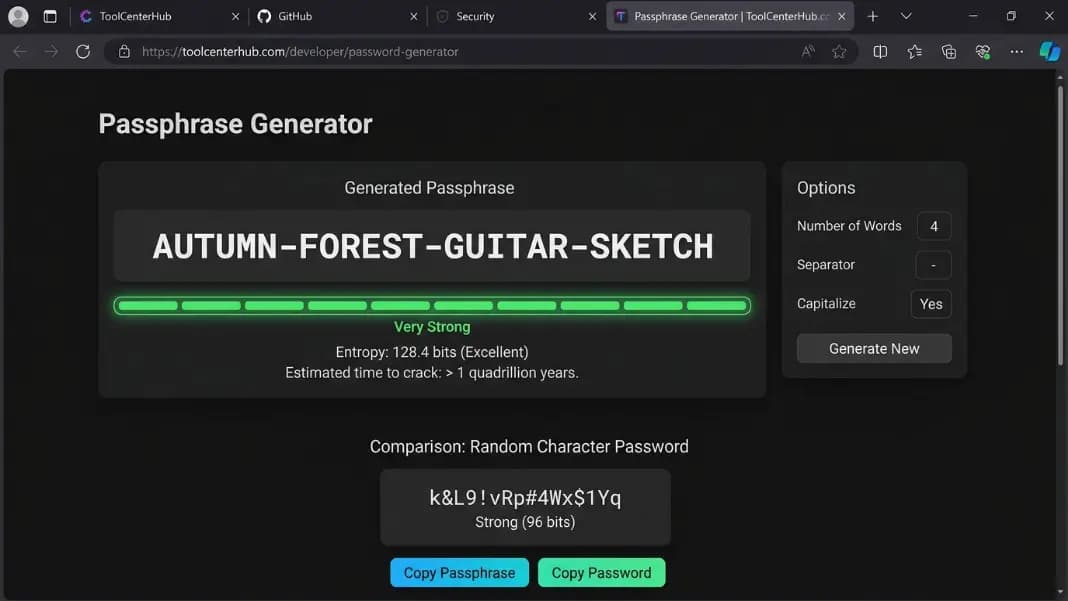
Passphrase Password Generator: Secure and Memorable Passwords (XKCD Method)
Learn what a passphrase password is, why it beats random passwords for memorability, and how the XKCD method works. Create strong passphrases you can actually remember.
9 min read
Hacked Text Generator: What It Is and How Glitch Fonts Work
What hacked text is, how glitch font generators work, where Zalgo and Unicode combining characters come from, and when to use hacked text versus other effects.
9 min read
QR Code for WiFi: Share Your Network Without Typing a Password
How to create a WiFi QR code, the WIFI encoding format, why it breaks when you change your password, iPhone vs Android scanning, and where to display it.
7 min read