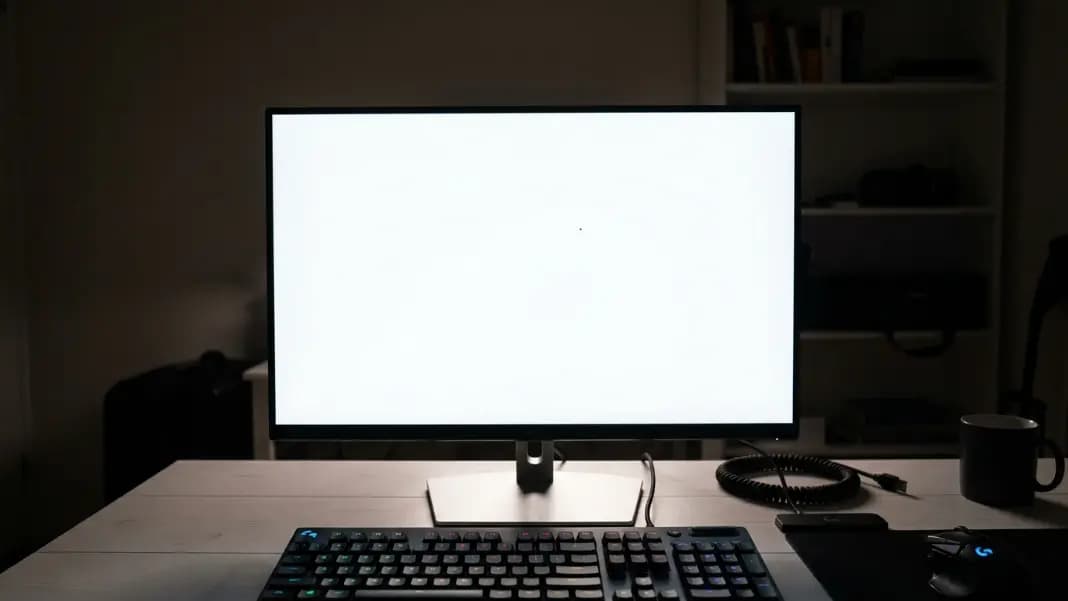
You turn on your monitor and a black line runs straight across the screen. It goes from one edge to the other, perfectly straight, perfectly still. It is there on every application, every background, every screensaver. Restarting the computer does nothing. The line is not going anywhere.
A dead pixel line is not the same problem as a single dead pixel, and the cause is completely different. Before you decide whether to repair, claim warranty, or replace the screen, run the dead pixel test across every solid color. If the line appears identically on black, white, red, green, and blue, you have confirmed a dead pixel line. That result tells you exactly which part of the hardware failed.
What Is Actually Happening When an Entire Row or Column Goes Dark
A single dead pixel fails because one liquid crystal cell stops responding to voltage. The backlight cannot pass through that cell, so one dot goes dark. One cell, one point.
A dead pixel line fails through a completely different mechanism. Every pixel on your screen is addressed through a grid of shared circuits. A component called the T-con board, short for timing controller board, manages this grid. It sends electrical signals along rows and columns, telling each pixel when to open and how much to let the backlight through. These signals do not travel to individual pixels one by one. They run along shared paths: one path per row, one per column.
When a dead pixel line appears, one of those shared paths has stopped working. The T-con board can no longer deliver its signal to that row or column. Every pixel on that path receives nothing and goes dark at once. The line is straight and clean because every dead pixel in it is on the same circuit.
This is also why software cannot fix a dead pixel line. Rapid color cycling, which sometimes unsticks a frozen transistor in a single pixel, cannot repair a broken circuit path. The transistors in the affected pixels may be perfectly intact. The problem is upstream: the wire or board that drives them has failed.
Horizontal Lines vs Vertical Lines: What the Direction Tells You
The direction of the line points to which part of the circuitry failed, and that matters for diagnosing the repair.
Horizontal dead pixel lines come from row driver circuit failure. Row drivers are part of the gate driver circuit. On many monitors and televisions, the gate driver is a discrete IC on the T-con board. When that IC fails, one or more horizontal rows go dark. On newer panels using gate-on-array (GOA) technology, the row driver is built directly into the glass substrate rather than sitting on a separate board. GOA panels cannot be fixed by swapping the T-con board because the failure is inside the panel itself.
Vertical dead pixel lines most often point to column driver failure or ribbon cable damage. Column drivers are on the source driver IC. On laptops especially, vertical lines frequently come from the ribbon cable that runs through the hinge mechanism. That cable bends every time you open or close the lid. Over years of repeated flexing, individual conductors in the cable develop micro-tears or pull loose from the connector. A single broken conductor kills the signal for one column, producing a clean vertical line.
On Samsung televisions, both horizontal and vertical lines are frequently caused by T-con board failure. Samsung's T-con boards sit as separate, swappable modules behind the panel. This failure is common enough that replacement T-con boards for many Samsung TV models are widely available and the repair is well-documented. Knowing this before writing off a Samsung TV with a line through it can save hundreds of dollars.
How to Confirm It Is a Dead Pixel Line and Not Something Else
A few other causes produce a line on screen that looks like a dead pixel line but is not.
Flex cable movement test. On a laptop, gently flex the lid while the screen is on and watch the line carefully. If it shifts, flickers, blinks, or disappears as you change the screen angle, the cause is a loose or partially broken flex cable, not a board or panel failure. A true dead pixel line from hardware failure stays completely fixed regardless of movement. This is the single fastest test to run before assuming you need a panel replacement.
Backlight bleed. A bright streak near the screen edge on dark content is backlight bleed, not a dead pixel line. Backlight bleed shows as a lighter or glowing area rather than a dark stripe, and it is mainly visible on black or very dark backgrounds. Run the dead pixel test on a white background and confirm whether your line is dark (dead pixels) or bright (backlight bleed). These are completely different problems.
Display driver error. In rare cases, a software or driver error produces a line that is not a hardware failure. Restart the computer first. If the line disappears after a reboot, the cause was a driver or graphics card issue. If it persists through every restart and every input source, the cause is hardware.
Screen crack. Physical impact sometimes produces a straight dead pixel line radiating from the point of impact or along a crack. This is technically dead pixels, but the cause is physical damage rather than component failure. Physical damage changes the repair path and typically voids warranty coverage.
A genuine dead pixel line from circuit failure appears identically across every test color, stays completely fixed regardless of movement, and persists through restarts and driver updates.

What a Dead Pixel Line Means for Repairability
The repair path depends entirely on what caused the line.
T-con board failure on monitors and TVs. A failed T-con board can often be replaced. Replacement boards for many monitor and TV models are available on eBay and electronics parts sites for $20 to $80. The repair involves removing the device's back panel, disconnecting the ribbon cables attached to the T-con board, swapping the board, and reassembling. For many Samsung, LG, and Sony TV models, this repair is thoroughly documented online with step-by-step instructions and has been completed by thousands of owners with basic tools. For desktop monitors, the T-con board is a similarly separate module on most IPS and VA panels.
Flex cable failure on laptops. Replacement ribbon cables for most laptop models cost $10 to $30. The repair requires disassembling the display assembly, which ranges from a 30-minute job on some models to a multi-hour process on laptops with glued or very thin display housings. If you have the right pry tools, a replacement cable, and a repair guide specific to your laptop model, this is a realistic DIY repair. A repair shop typically charges $60 to $120 in labor for this job.
GOA panel failure or source driver IC failure. If the failure is in the panel's built-in drivers rather than in any external board, the entire screen needs replacing. For laptops, panel replacement costs $60 to $200 for the part alone. For monitors, $100 to $350. For large televisions, the cost often approaches or exceeds the value of the device.
Physical damage. A dead pixel line from a cracked or shattered panel cannot be repaired by replacing any circuit component. The glass substrate itself is damaged. Full panel replacement is the only option, and physical damage is not covered by most standard warranties.
Steps to Take Right After Finding the Line
Work through these in order before spending anything.
Restart first. A driver error or graphics card glitch can produce a line that disappears after rebooting. If the line is gone after a restart, the cause was software. If it comes back or never went away, the cause is hardware.
Run the test across every color. Open the dead pixel test in fullscreen and cycle through all available backgrounds. The line should appear identically on every color if it is a genuine dead pixel line. Take a photo with your phone showing the line on at least two different backgrounds. This documentation matters for warranty claims.
Do the flex test on laptops. Apply gentle pressure near the bezel or slowly change the lid angle while watching the line. Any movement or flickering points to a cable problem rather than a board or panel failure.
Check your warranty status. A dead pixel line qualifies for replacement under most manufacturer warranties without the minimum pixel count that applies to single dead pixels. The dead pixel test guide covers how different manufacturers classify display defects and what their policies require before replacing a screen.
Research your specific model. Search the model number plus "T-con board" or "flex cable" to see if other owners have diagnosed and repaired the same failure. Well-documented repairs with available parts are worth attempting on out-of-warranty devices before paying for a full panel replacement.
When Repair Makes Sense and When It Does Not
Under warranty: file the claim immediately. Do not attempt repairs yourself on an in-warranty device. Any disassembly usually voids coverage.
Out of warranty, device is less than three years old: research the specific repair cost for your model. A $40 T-con board repair on a monitor that cost $500 is worth doing. A $280 panel replacement on a monitor that cost $300 is not.
Out of warranty, device is four or more years old: a dead pixel line on an aging device can be the first visible sign of broader component decline. T-con boards often fail as their capacitors age. Factor that into the decision. Fixing the T-con board today may buy another year before something else goes.
Physical damage: budget for replacement, not repair. Panel damage from impact is rarely covered by warranty, and repair costs usually exceed the device's remaining value.
For individual pixel failures rather than full lines, what is a dead pixel explains single pixel failure in detail, including how to tell dead pixels from stuck pixels and dust. Everything related to screen testing is in the developer tools section.