A keydown event listener fires every time you press any key. It does not read which key. It takes the next few characters from a long pre-written block of source code text, appends them to the screen, and scrolls down. That is the complete mechanism behind every hacker typer tool. No network connection is made. No file is read. No code is executed. The keyboard is being used as a playback trigger, not as a typing device.
The hacker typer tool is built to look convincing, and it does. This guide explains exactly what is happening technically, why the visual looks so real, and what actual security work looks like by comparison. No technical background needed.
What Hacker Typer Actually Is
Hacker typer is a browser-based tool. You open it in any web browser, and it shows a dark screen that looks like a computer terminal. When you press any key on your keyboard, code appears on screen as if you are typing it in real time.
Here is the thing: it does not matter which key you press. You can press "A" or the spacebar or smash all your fingers on the keyboard at once. The same code comes out every time. The code is pre-written and stored in the page's script. Every keystroke just adds the next chunk of that stored text to the screen.
Think of it like a song playing when you press a button on a toy. The button does not write the song. The song was already recorded and stored. Pressing the button just starts playing it. Hacker typer works exactly the same way. Your keyboard is just the play button.
The code it shows is real code, in the sense that it is actual programming language text, usually assembly language or C snippets copied from real programs. But displaying code on a screen is completely different from running code. A photo of a fire is not a fire. Displayed code is not executing code.
How the Auto-Typing Mechanic Works
Every time you press a key, hacker typer's JavaScript listens for that keypress event. When it detects one, it takes the next 2 to 5 characters from its stored script and adds them to the visible screen text.
The stored script is a long string of code that loops. When it reaches the end of the script, it starts from the beginning again. This is why people who use hacker typer for long enough will notice the same code patterns repeat.
The speed setting changes how many characters appear per keypress. The "Slow" setting adds fewer characters. The "Fast" setting adds more. The code itself is the same regardless of speed.
The terminal scroll effect happens because the page automatically moves the view down as new text is added, mimicking what a real terminal does when output fills the screen. This is a simple CSS trick, not anything technically complex.
Nothing in this process communicates with any other computer. Nothing scans your network. Nothing reads your files. The entire mechanic is: key pressed, show next chunk of stored text, scroll down. That is it.
Is the Code Real?
This is where it gets slightly interesting. The code that appears in hacker typer is real programming language syntax. The tool typically displays a mix of assembly language (the low-level code that processors run directly), C language snippets, and sometimes Python or shell commands.
If you copied the code off the screen and put it into the right programming environment, some of it would actually compile. Parts of it are from real open-source programs. The creators of the tool did not make up fake-looking squiggles. They used actual code because it looks more realistic than invented symbols.
But here is the important part: the code is not being run. It is being displayed. There is a massive difference.
Running code means the processor reads the instructions and does something: opens a connection, reads a file, calculates a result, writes data. Displaying code means a browser draws characters on screen. No instructions are being followed. No processor is running those commands. Your computer's CPU is simply doing what a word processor does when you read a document.
The code on screen is like a printed recipe. Looking at a recipe does not cook the food.
Why It Looks So Convincingly Real
Most people have never actually seen a real hacker working. Their entire mental picture of what hacking looks like comes from films and TV shows. Every hacking scene in movies uses the same visual vocabulary: dark background, green or white monospace text, fast-scrolling code, dramatic beeping, and progress bars filling up.
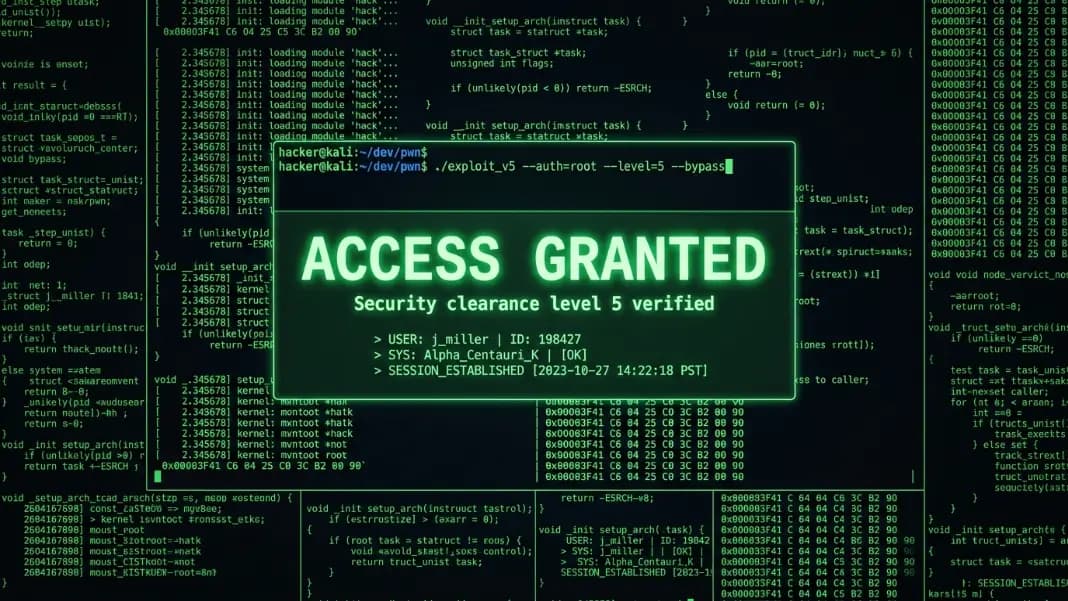
Hacker typer was built around that exact visual language. It copies the look of a Unix terminal almost perfectly, the dark screen, the font style, the way text scrolls. Because films have been using this aesthetic for 30+ years, most viewers instantly recognize it as "what hacking looks like" even though it has nothing to do with what actual hacking involves.
The hacker aesthetic guide covers the full history of where this visual language came from, going back to the early days of green-phosphor monitors in the 1970s and 80s. The short version: real hackers did use dark terminals with green text because those were the screens available at the time. Hollywood borrowed that look for their hacking scenes. The look stuck in popular culture even as actual computer interfaces moved to graphical windows and color displays decades ago.
Hacker typer exploits the gap between what people expect hacking to look like and what it actually involves.
What Real Hacking Actually Looks Like
Real hacking, or more precisely what security researchers call penetration testing, looks nothing like hacker typer.
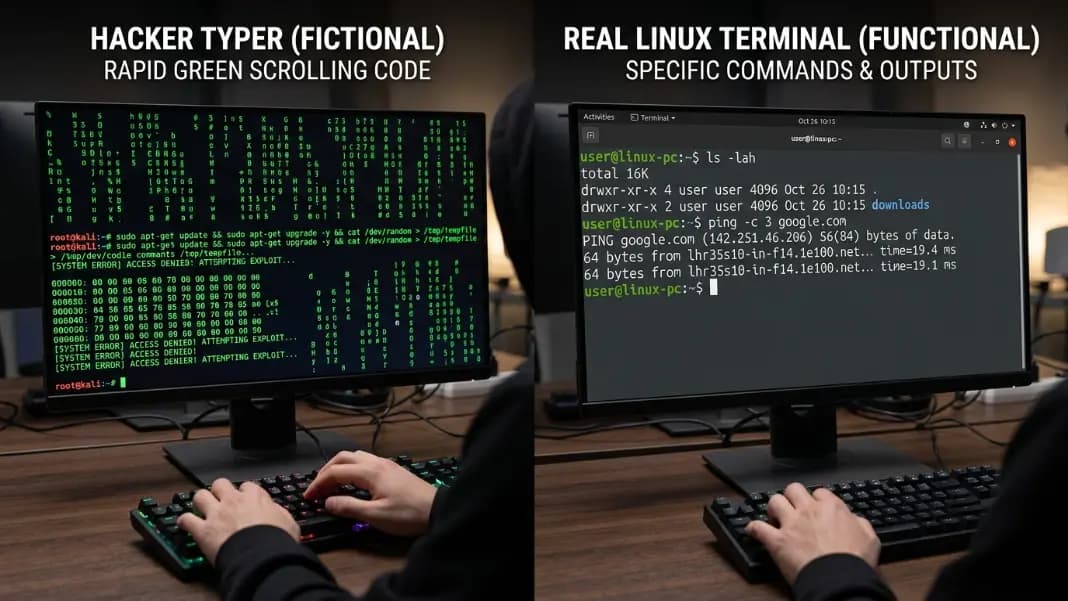
A real security tester might spend an entire morning just reading a target system's documentation and error logs to understand how it is configured. The actual commands they run are short and specific. A real terminal session during a legitimate security test might look like this: run one command, wait 30 seconds for output, read a few lines of text, think about what that means, run one more command. The screen is mostly quiet.
Real hacking is mostly waiting and reading. The dramatic wall of scrolling code in movies was invented because watching someone read documentation for 45 minutes makes for terrible cinema.
The actual tools used in real security work, things like Nmap for network scanning or Metasploit for testing vulnerabilities, produce small amounts of specific output. A network scan result is a short list of IP addresses and open ports. A successful exploit attempt produces a message saying whether it worked. None of it looks like the matrix of scrolling text in hacker typer.
Real hacking is also extremely specific and targeted. A hacker who does not know exactly which system they are targeting cannot do anything useful. Hacker typer, by contrast, does the same visual output regardless of anything at all.
Kevin Mitnick, who spent years on the FBI's Most Wanted list before becoming a security consultant, documented in his book The Art of Deception that his primary method was not code at all. He used social engineering: calling help desks, impersonating employees, and persuading people to hand over information they should not have. He described this as substantially easier than attempting to exploit technical systems directly. The dramatic wall of scrolling code is not just an exaggeration of real hacking. For the most documented cases on record, it represents the wrong activity entirely. Real security breaches most commonly begin with a phone call or a phishing email, not a keyboard filling with cascading green text.

What People Actually Use Hacker Typer For
Since it is not real hacking, what is it actually useful for?
Pranks. The most common use. Someone sets it up, hands their laptop to a friend, and tells them to type. The friend sees the scrolling code and either panics or is impressed, depending on how committed the setup is. The hacker screen prank guide covers how to make this convincing.
Videos and social media content. A dark terminal filling with code makes for a visually striking clip. Plenty of YouTube thumbnails and TikTok videos use hacker typer as a background effect because it looks impressive in a screenshot or short clip.
Film and theatre productions. Small productions that need a "hacking scene" without a budget for real technical setup use hacker typer on a prop laptop. It is free, requires no technical knowledge, and works immediately.
Learning what terminals look like. Some people who are new to computers have genuinely never seen a command-line terminal before. Hacker typer gives them a low-stakes way to see what that visual environment looks like before they try a real one.
Keeping an audience's attention during presentations. Some speakers open it on a secondary screen during tech talks as a background visual. It looks active without distracting from what they are saying.
The hacker typer access granted guide covers all the shortcuts and features for getting the most out of the tool. The full collection of developer tools is in the developer tools section.
Is Hacker Typer Safe?
Yes. Hacker typer is safe to use.
It runs entirely inside your browser. It does not download anything to your computer. It does not access your files, contacts, passwords, or anything else on your device. It does not make any network connections beyond loading the page itself. It does not install extensions or plugins.
From a technical security perspective, hacker typer is about as risky as opening a webpage full of text. The only thing it does is display pre-written text and play a sound effect.
The one caution worth mentioning: the social context matters. Using it to prank someone in a situation where they might genuinely believe their computer or network is being attacked, and that belief causes them real distress or leads to bad decisions, is irresponsible. The tool is harmless. How it is used toward other people depends on the situation.