You are running a Scrabble challenge night and want each player to draw their starting letters without touching a physical bag. Or you are a teacher who needs to pick a student at random without it looking like you are choosing favorites. The random letter generator solves both problems with a single click: one tool, no physical components, and a result that nobody can argue with.
The uses are broader than most people expect. Generating random letters shows up in word games, classroom activities, password creation, software testing, and letter-based decision games. This guide covers when each approach works best, what the vowel and consonant filters actually change in practice, and how the tool's cryptographic randomness makes it more reliable than drawing from a physical tile set.
What a Random Letter Generator Actually Does
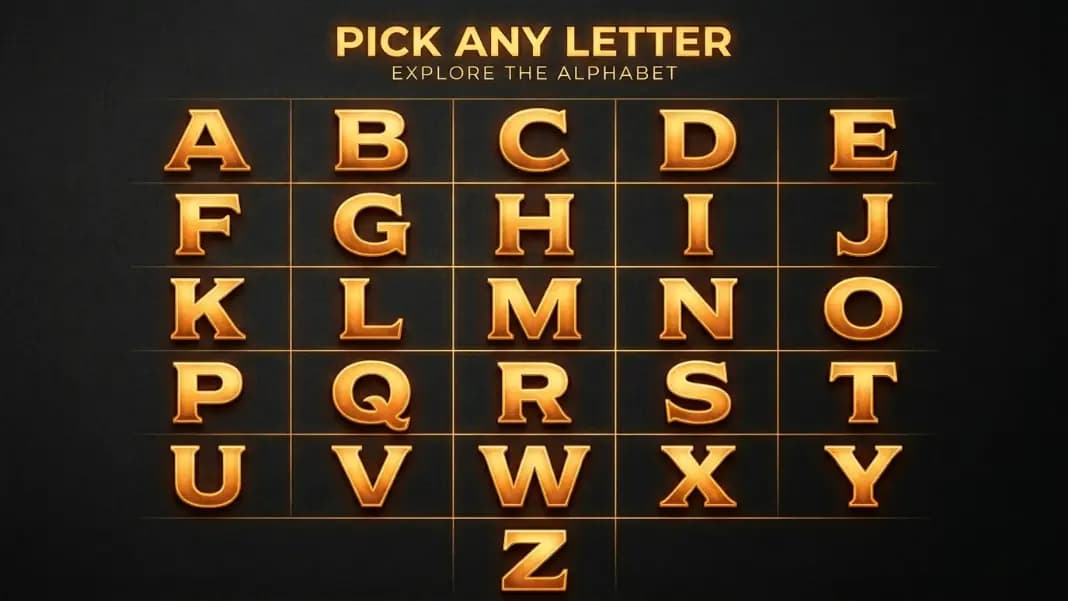
A random letter generator selects one or more letters from a defined pool using a random process, giving each letter in that pool equal probability on every draw. The pool can be the full 26-letter alphabet, vowels only (A, E, I, O, U), or consonants only (the remaining 21 letters). Each draw is independent; the previous result has no influence on the next one.
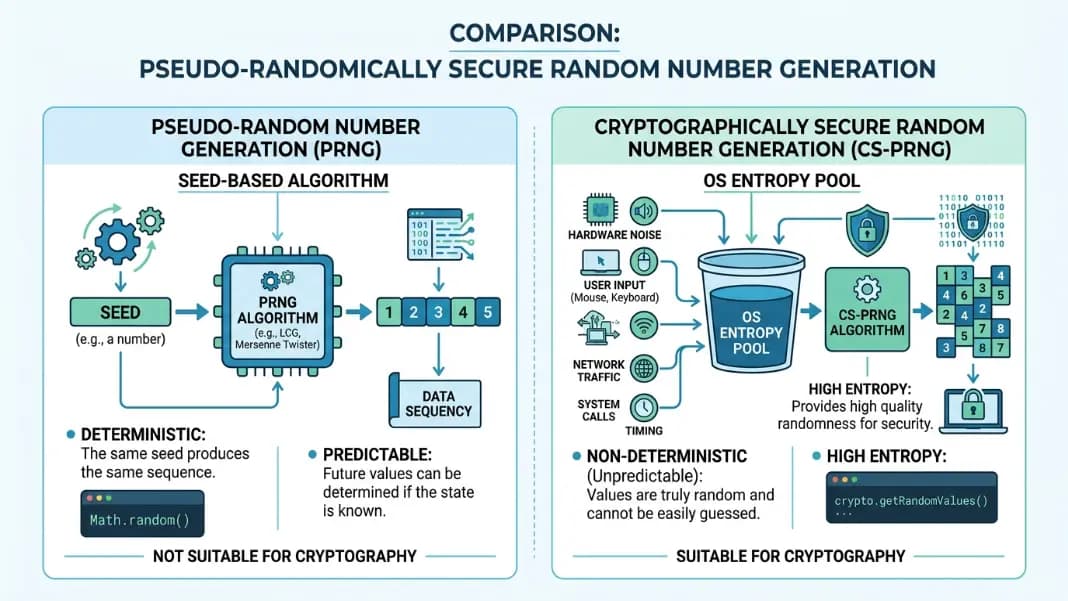
The implementation matters. This tool uses crypto.getRandomValues() from the browser's Web Cryptography API, which draws from operating system hardware entropy rather than a software algorithm. It also applies rejection sampling to prevent modulo bias, a subtle flaw where letters at the start of the alphabet appear fractionally more often when the random number range does not divide evenly into the pool size. The result is a genuinely uniform distribution across every letter in the chosen pool.
What this means in practice: if you generate 26 letters from the full alphabet, you will not necessarily see each letter once. Random sampling with replacement allows repetition. That is correct behavior. If you need each letter to appear exactly once, you need a shuffle, not random sampling.
Using Random Letters for Word Games and Scrabble Challenges
The most immediate use for a random letter generator in gaming is letter assignment. For Scrabble variants, generating a set of letters without a physical bag removes the tactile bias that develops when players feel for smooth, frequently-played tiles. Every draw comes from the same uniform pool.
The vowels-only and consonants-only filters are where this tool gets genuinely useful for word games. A pure random draw from all 26 letters produces unplayable combinations more often than you might expect. A 7-letter rack with 6 consonants is not unusual from a fully random draw, and it kills a Scrabble round fast. By generating 2 vowels separately and 5 consonants separately, you guarantee a workable ratio before the game starts.
For Boggle-style letter grid games, generate 16 letters and arrange them in a 4x4 grid. The all-letters setting works well here because the adjacency rules in Boggle mean even consonant-heavy grids produce playable words. For word chain games where each player must name a word starting with the last letter of the previous word, generate a single starting letter to kick off the chain.
If your game also involves numerical outcomes, a dice roller handles D4 through D20 alongside any letter-based mechanics. Running both tools in separate browser tabs is the practical setup for games that combine letters and numbers.
How Teachers Use Random Letter Pickers in the Classroom
Classroom use breaks into three categories: alphabet learning, spelling drills, and student selection. Each benefits from slightly different settings.
For alphabet learning with younger students, start with vowels only. The five vowels are the foundation of phonics instruction, and isolating them removes the confusion of 26 characters at once. Once students are confident with vowels, switch to the full alphabet. Generating a single uppercase letter keeps the display clear for a room full of students who need to read the result quickly.
For spelling drills, the letter becomes the category prompt: name three words starting with this letter, spell a word that contains this letter in the middle, or write a sentence where every word starts with this letter. The randomness takes the teacher out of the selection equation, which matters when students suspect favoritism in which letters get assigned. Nobody can argue that G is harder than S when both came from the same random process.
Student selection is the third use. Assign each student a letter at the start of the term or the class period, then generate a letter when you need someone to answer a question or present their work. It is more neutral than cold-calling and more immediate than a name wheel. A single uppercase letter is visible from anywhere in the room.
The wheel spinner works for student name selection directly, but the letter assignment approach scales better in large classes where loading 30 names onto a wheel creates visual clutter.
Random Letters for Passwords, Coding, and Data Testing
Random letters have three distinct uses in technical work: password generation, test identifier creation, and sample data production.
For passwords, letters provide the alphabetic character class that most password requirements mandate. Mixed case letters double the character space for each position, which meaningfully increases entropy when combined with numbers and symbols. Generating 8 mixed-case letters gives you a starting component that pairs with numbers from a random number generator and manually added symbols for a complete password.
For coding and software testing, random letter strings work as realistic variable names, function identifiers, and placeholder values in test databases. Sequential placeholders like aaa, bbb, ccc make test output easy to spot but also make logs hard to read when multiple tests run in parallel. A string like qRmT looks like a real identifier and causes fewer accidental matches in log searches.
Test data generation is the third application. If you are building a mock dataset and need a field that should contain text strings, short random letter strings pass validation rules that reject purely numeric values without requiring you to maintain a list of fake words. The consonants-only filter produces strings that look more like abbreviations or codes; the all-letters filter produces strings that look more like garbled words.
For full test identity generation including names, addresses, and other structured fields, the fake identity generator handles that in one tool. The letter generator is better suited for when you need raw letter strings rather than structured personal data.
Filtering Vowels vs Consonants: When Each Setting Helps
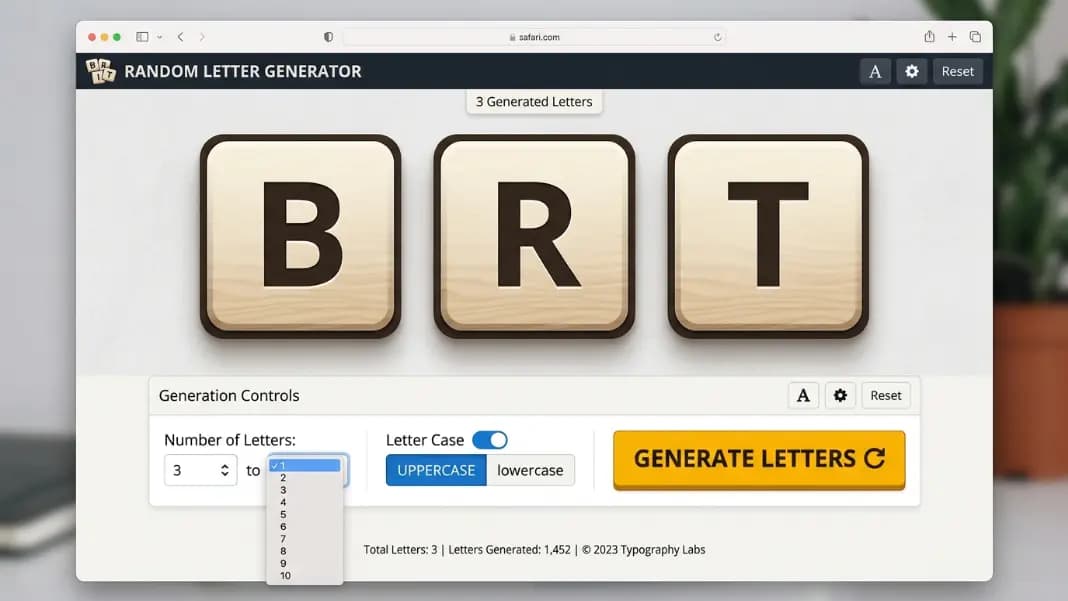
The filter setting changes the pool from which each letter is drawn. Choosing vowels limits the pool to A, E, I, O, U. Choosing consonants limits it to the 21 remaining letters. Choosing all letters opens the full 26.
Use vowels only when:
- You are building a rack in a word game and already have consonants
- Teaching phonics focused on vowel sounds specifically
- Generating the vowel component of a password or identifier separately
Use consonants only when:
- Your word game rack already has enough vowels
- Generating abbreviation-style strings for code or testing
- Running a classroom exercise specifically about consonant sounds
Use all letters when:
- You want natural variation across the full alphabet
- The downstream use does not depend on vowel-consonant balance
- Generating a broad sample for a letter-based game or activity
One mistake people make: using the all-letters filter for word game racks and then complaining when results are unplayable. The filter exists precisely to prevent this. Use it.
The distinction between vowels and consonants also matters for linguistic activities. English words follow predictable vowel-consonant patterns. A purely consonant string is almost never a real word; a purely vowel string rarely is either. Controlling the filter lets you generate letter sets that fall within the range where real words are constructable.
How to Get a Balanced Spread Across the Full Alphabet
A single generation session will not produce every letter once. That is not how random sampling works. If you need coverage across the whole A to Z range, for example assigning a different letter to each of 26 students, you need a specific approach.
The practical method is to generate in small batches and track results using the history panel. The tool stores your last 7 generations automatically. If you see repetitions appearing, you know which parts of the alphabet have been overrepresented in recent draws and can note which letters are still missing.
For strict non-repeating letter assignment, random sampling with replacement will not work reliably. A better approach is to list all 26 letters and draw from the list in sequence after shuffling it. The wheel spinner supports this pattern: add all 26 letters to the wheel, spin, remove the result, and continue. This guarantees each letter appears exactly once across 26 spins. The letter wheel spinner guide covers this format in detail, including word game setups, classroom activities, and filtered vowel and consonant wheels.
For activities where repeats are acceptable or desirable, the random letter generator is the faster choice. The single-click generation and history display make repeated draws easy to track without maintaining a separate list.
Setting Up a Random Letter Game or Drill in Under a Minute
The fastest way to use this tool for any activity is to configure it once and leave the settings unchanged for the whole session. Pick your count, case, and letter set before the activity starts. Then every Generate click produces consistent output without needing to adjust settings between rounds.
For a Scrabble warm-up: count 7, all letters, uppercase. Generate once per player. Done in 10 seconds per player.
For a classroom vowel drill: count 1, vowels only, uppercase. Generate when you need a new prompt. Students respond. Generate again. No downtime between prompts.
For a password component: count 8, mixed case, all letters. Generate, copy, paste into your password field alongside numbers and symbols.
The random tools category has everything from team assignment to number generation for activities that go beyond letters. For the letter generator specifically, the setup genuinely takes less than a minute, and the tool runs entirely in your browser without loading delays or account requirements. Open the random letter generator, set your options, and the first result is one click away.