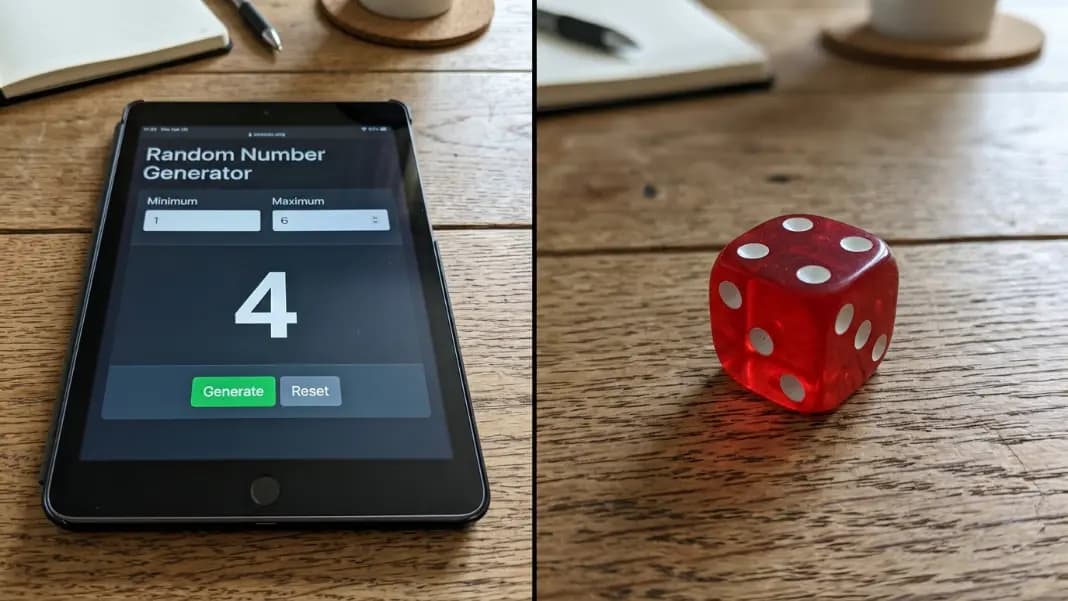
Google's search bar has a random number generator built into it. Type the query and the widget loads before any links appear — no navigation, no install, nothing to open. For a single result used immediately with no further requirements, the friction is close to zero.
The gaps appear the moment the need extends beyond that one number. Multiple results at once, unique picks with no duplicates, a download record of the draw, access without a Google search in the path: these are things the widget was not designed for. The random number generator covers the same generation and adds all of those. This guide covers where Google's tool fits, where it falls short, and how to tell which situation you are in.
What the Google Random Number Generator Actually Is
The Google random number generator is a widget built directly into Google's search results. It appears when you search for phrases like "random number generator," "pick a random number," or "random number between 1 and 100." Rather than directing you to a website, Google surfaces its own tool on the results page itself.
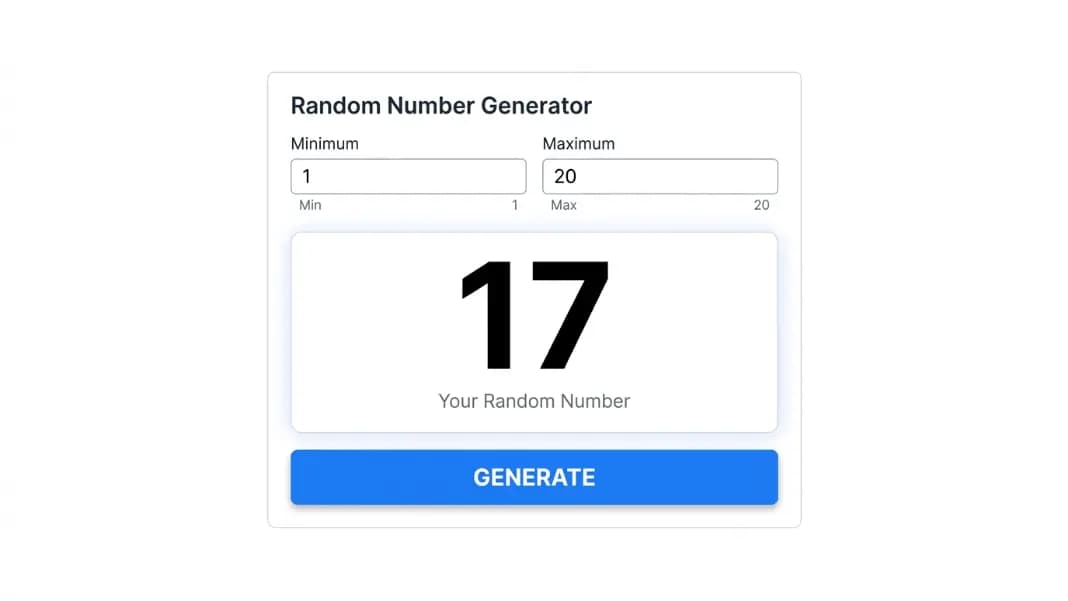
The widget has two input fields for minimum and maximum, a generate button, and a large result display. The default range is 1 to 10. Adjusting the range is straightforward: click either field, type your value, and the next generation uses the updated range. Conversational queries like "random number between 20 and 80" pre-fill the range automatically from the search query.
This is part of Google's broader pattern of answering specific queries without requiring a click to an external site. The same approach appears for currency conversion, unit conversion, timers, and the wheel spinner for named options. The number generator is one of the most used of these instant tools because the need for a quick random number comes up in everyday situations across almost every context.
On mobile, the widget appears in the Google app and Chrome browser in the same format. The generate button is touch-optimized and produces a result with one tap. For anyone generating on a phone, the accessibility of the tool is a genuine advantage. It is already there, in the app they already have open.
How to Use Google's Built-In Tool
Open any browser. Type "random number generator" into Google's search bar and press Enter. The widget loads at the top of the results, above all organic links.
Click or tap the minimum field to change the lower bound. Click the maximum field to change the upper bound. Then click the generate button. The result displays immediately.
For a conversational shortcut, type the full query in the format "random number between X and Y" and Google pre-fills both fields from the search text. This is marginally faster when you know the range before you search.
On a Google assistant device (smart speaker or phone assistant), saying "give me a random number between 1 and 20" produces a spoken result without any visual interface. This is the one context where Google's random number capability is genuinely unique: voice-first generation that requires no screen interaction at all.
For repeat generations within the same range, the tool retains your minimum and maximum settings as long as you stay on the search results page. Clicking generate multiple times produces a new result each time without re-entering the range.
What Google's Tool Does Well
Speed and zero-friction access are the genuine strengths, and they are real advantages in the right situation.
There is no navigation step. Most people spend more time getting to a tool than using it. With Google's widget, the tool appears before the links it outranks. If you are already typing into Google, the generator is effectively zero steps away.
The interface is clean and unambiguous. One number, large text, nothing else to interpret. There is no configuration to misread and no list of outputs to parse. For a quick decision that needs exactly one result, that clarity is appropriate.
Range adjustment is functional. Both fields accept a wide range of values, including negative numbers for the minimum. The tool is not restricted to small ranges or standard die sizes. Setting a range of 1 to 1,000,000 works the same as 1 to 6.
Conversational query handling is one of the most underrated features. Asking for a random number in a specific range as a natural language search produces a pre-configured generator. For users who think "I need a number between 50 and 300," translating that into a search query and getting a ready-configured tool is a genuinely smooth experience.
For casual single-number decisions, Google's tool is fast enough that using something dedicated rarely adds meaningful value. Settling a two-person disagreement, picking which task to do first, choosing a number for a quick game: these fit Google's tool precisely.
Where Google's Generator Falls Short
The limitations become visible the moment the need extends beyond one result.
No multiple number generation. Google's tool produces one number per click. There is no count setting, no batch mode, and no list output. For 6 lottery picks, 10 raffle numbers, or 25 classroom assignments, you generate and record manually for each. At 6 results, this is tedious. At 25, it is where mistakes happen.
No unique mode. Google's tool has no no-repeat option. If you generate 6 numbers from a range of 1 to 49, the same number can appear twice across your manual draws. You have to check each new result against previous ones and rerun when a duplicate appears. For any draw where each value should only appear once, this is a meaningful failure point.
No result history. Close or refresh the search results tab and the result is gone. There is no log of what was generated. If you generated a number five minutes ago and need to reference it, the only source is whatever note you took at the time.
No download or documentation. A Google RNG result cannot be exported. There is no built-in record of the range settings alongside the result, no file to share with participants, and no audit trail for a formal draw. For any selection process where participants might want to verify that the draw was genuinely random and what the settings were, that is a problem.
No sort controls. If you run multiple generations manually, the results arrive in generation order. There is no ascending or descending sort within the tool. Sorting is done manually.
Requires Google search. The tool only exists inside Google's results page. If you are offline, working in a different browser context, or sharing a screen where navigating to Google is not practical, the tool is not accessible.
What a Dedicated Generator Adds
The random number generator covers the same basic generation and adds what Google's tool leaves out.
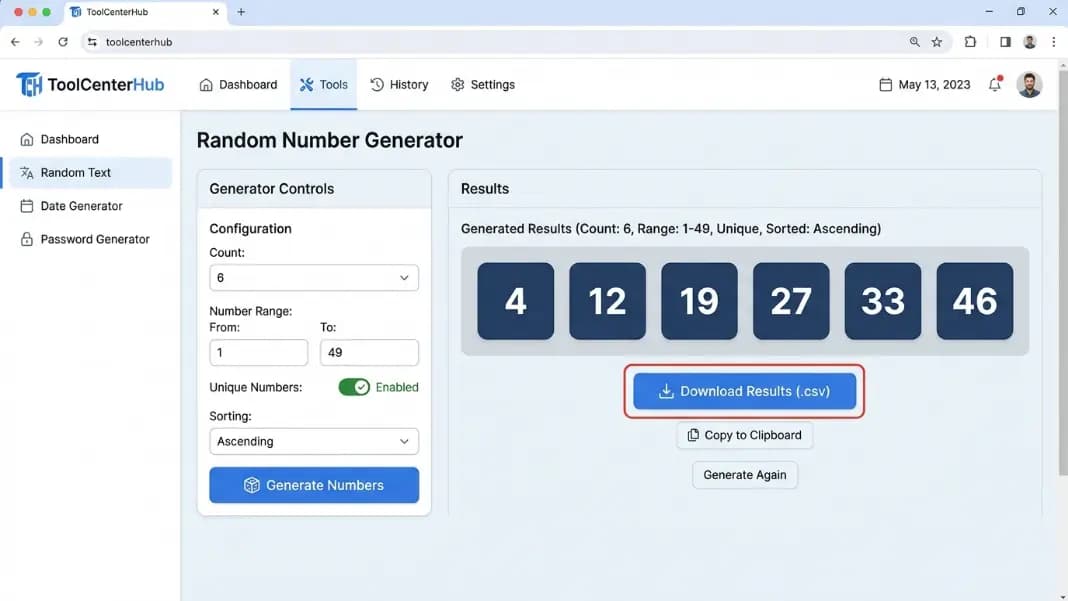
Count setting. Set the count to any number up to 500 and generate all results in one operation. Six lottery picks, ten raffle numbers, thirty classroom assignments: one click produces the full list. No manual tracking across multiple generations.
Unique mode. Toggle unique numbers on and every result in the set is distinct. No duplicates, no manual checking, no rerunning when a number repeats. The random number generator no repeats guide covers how the Fisher-Yates shuffle algorithm guarantees this without introducing any bias toward certain values.
Sort controls. After generating, display results in ascending order, descending order, or original generation order. Ascending is the standard for lottery and raffle display. The sort applies to the current result and does not change the underlying randomness.
Download and copy. The download button saves the full result set as a plain text file with the range settings and count recorded alongside the numbers. This is the documentation record for a formal draw. The random number list generator guide covers how to use the download and copy functions. The copy-all button puts all results on the clipboard for immediate pasting into a spreadsheet or message.
Session history. Recent draws appear in a panel below the results. Earlier results from the session stay visible without any manual recording.
Accessible from a direct URL. The tool is a bookmarkable page independent of Google. It works in any browser, on any device, without a search engine in the path.
When Google's Tool Is the Right Choice
Three specific situations favor Google's widget over a dedicated tool.
You need one number, immediately, with no documentation required. If the question is "give me a number between 1 and 10 right now," the result will be used in seconds and forgotten, and you are already on Google: the widget is the fastest path by a meaningful margin. There is no reason to navigate anywhere else.
You are already in a Google search. If you came to search for something else and a random number is a side need, using the widget avoids opening another tab. The tool is already on the page.
Voice access is what the situation requires. Asking a Google assistant to produce a random number works without touching any interface. For hands-free or eyes-free situations, no dedicated generator matches that accessibility.
For those three patterns, Google's tool is entirely appropriate and a dedicated generator adds no meaningful value.
When to Switch to a Dedicated Generator
Use a dedicated generator when any of the following is true.
You need more than one result. Any multi-number draw should use a tool with a count setting. Generating manually one at a time and tracking results in your head is how errors compound and how disputes start.
Duplicates cannot occur. Unique mode is not optional for lottery picks, raffle draws, or any process where each number represents a distinct slot. Google does not have it.
The draw needs to be documented. A result that cannot be saved, exported, or referenced after the fact is not a documented draw. The random number generator for raffles guide covers why documentation matters for formal selection processes, and how the text file download combined with a settings screenshot provides a complete audit trail.
You need the result accessible later. If you will need to reference what was generated more than a moment from now, use a tool that maintains history or provides a download. Google's results page gives you nothing after it is closed.
The google spinner vs online wheel guide covers the same comparison for Google's built-in wheel spinner, which applies when the selection involves named options rather than a numeric range.
Choosing the Right Tool for the Draw
Google's random number generator solves a real problem. Fast, no-friction, single-result generation from any search bar on any device is genuinely useful and covers a significant share of everyday random number needs without any setup.
The gap is everything beyond that single result. Count, unique mode, sorting, downloading, history, and independence from the Google search interface are all features that a draw requiring more than one number or any documentation will need.
For quick decisions with no further requirements, Google's widget and a dedicated tool are interchangeable. For anything requiring a list, unique picks, or a record that outlasts the session, the dedicated generator is where to start. The random tools section has the full collection for number-based draws, named selections, and binary decisions.