Setting a range in a random number generator sounds simple: put in a low number, put in a high number, and get results. But getting the range wrong is one of the most common mistakes people make when setting up a lottery draw, a raffle, or a numbered selection. This guide covers how the min and max settings work, what happens at the boundaries, how to match your range to your actual use case, and how the unique number mode changes the behavior.
The random number generator handles all standard range configurations. This guide helps you set it up correctly the first time.
How the min and max values work
The minimum and maximum values in a random number generator define the complete set of possible outputs. Both endpoints are included. A range set to minimum 1 and maximum 10 can produce 1, 2, 3, 4, 5, 6, 7, 8, 9, or 10. That is ten possible values, each with equal probability of appearing on any given generation.
The probability of any specific number coming up is 1 divided by the total count of values in the range. For a range of 1 to 100, each number has a 1 in 100 chance per generation. The generator does not weight any value higher or lower based on position or recent history.
Each generation is independent. If 47 just appeared, the probability that 47 appears on the next generation is still exactly 1 in 100. The generator has no memory.
The randomness comes from the browser's crypto.getRandomValues() function, which is a cryptographically secure random source. This is a different quality of randomness than Math.random(), which can produce statistically detectable patterns over many calls. For more detail on why this matters, the guide to random generators and how they actually work covers the technical differences.
Setting the right range for common use cases
Different situations call for different range configurations. Here are the standard setups for the most common uses.
Simulating a standard six-sided die: Set min to 1, max to 6. Six possible values, each with equal probability. This matches the behavior of a physical die exactly.
A lottery draw with 100 tickets: Set min to 1, max to 100. Assign each participant a number. Generate one result and look up who holds that ticket.
Random number between 1 and 100 for general use: Set min to 1, max to 100. This is the most common general-purpose range and handles most casual random number needs. See also the dedicated 1 to 100 random number guide for lottery-specific setup.
Picking a random item from a numbered list: Count the items on the list, set max to that count, set min to 1. Generate a number and select the item at that position.
Random selection from a subset: If you only want to pick from items 5 through 20 on a list, set min to 5 and max to 20. Only items in that range will be selected.
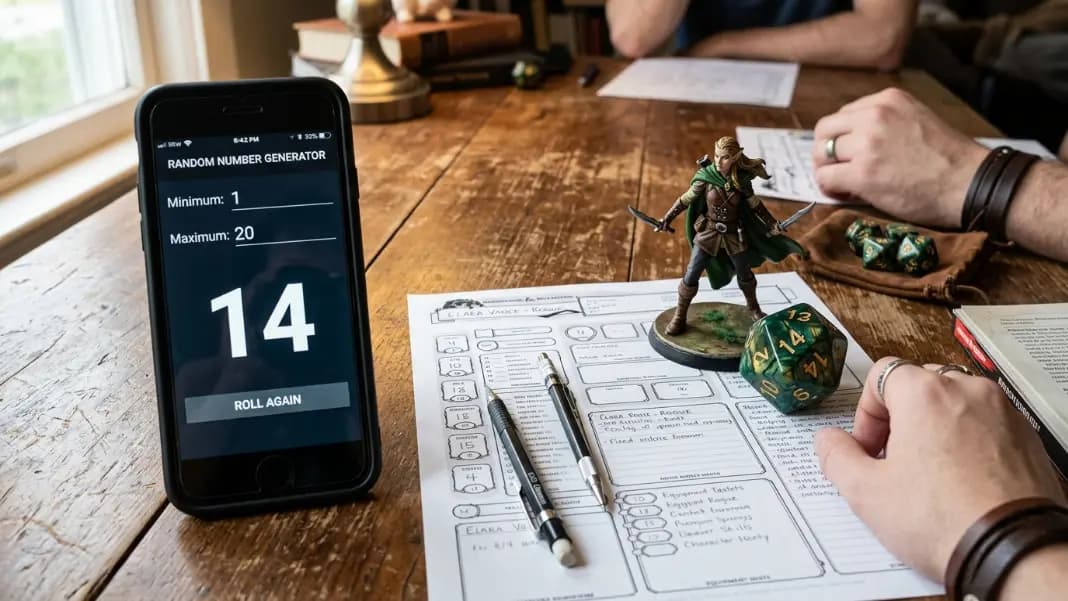
Dice for tabletop games: Set the min and max to match the die type. D4 is 1 to 4, D8 is 1 to 8, D10 is 1 to 10, D12 is 1 to 12, D20 is 1 to 20. For D100 (percentile), use 1 to 100. The dice roller handles this with dedicated die buttons if you prefer a specialized tool.
What changes with unique number mode
Standard range generation can produce the same number more than once. If you generate five numbers from a range of 1 to 100, you might get 43, 72, 43, 9, 18. The number 43 appeared twice.
Unique mode prevents this. When enabled, each number in the result set appears at most once. Generating five unique numbers from a range of 1 to 100 produces five different values with no repeats.
Use unique mode when:
Running a lottery with multiple winners: If you are drawing five winning ticket numbers from a pool of 200, each number must be unique. A repeat would mean the same ticket wins twice.
Generating a shuffled order: If you want a random ordering of items numbered 1 through 20, generating 20 unique numbers from a range of 1 to 20 gives you a random permutation of all values.
Seating assignments: Assign seats numbered 1 through 30 to 30 students by generating 30 unique numbers from 1 to 30 in order.
Any draw where repeat winners are not permitted: Most raffles and lotteries require that the same participant cannot win more than once. Unique mode enforces this automatically.
One constraint: when unique mode is enabled, the quantity of numbers you request cannot exceed the total count of values in the range. Requesting 15 unique numbers from a range of 1 to 10 is impossible, because there are only 10 available unique values. The generator will flag this as an invalid request.

Common range mistakes
Off-by-one errors: If you have 50 tickets numbered 1 through 50, set max to 50, not 49. A max of 49 excludes ticket 50 from ever being selected.
Setting min higher than max: The generator cannot produce results from an inverted range. If max is lower than min, the range is invalid.
Forgetting both endpoints are included: People sometimes set a range to 0-100 thinking they will get numbers 1 through 100, not realizing that 0 is also a valid result. If your use case starts at 1, set min to 1.
Using a range that does not match the ticket count: If tickets are numbered 001 through 200, the range is 1 to 200. If tickets start at 0, the range is 0 to 199. Match the range to the actual ticket numbering.
Requesting too many unique numbers: Requesting 100 unique values from a range of 1 to 50 is not possible. Check that your quantity does not exceed the size of the range when using unique mode.
Generating multiple results at once
The number randomizer 1-100 and any range supports generating multiple numbers in one operation. Set your min, max, and quantity, then generate all results at once.
This is useful for:
- Drawing five lottery numbers in one step
- Generating a full shuffled sequence for a tournament seeding
- Producing a series of results for a probability exercise
Generating multiple at once is faster than clicking generate repeatedly and produces all results from the same session without any risk of repeating the operation incorrectly.
When generating multiple results without unique mode, expect occasional repeats. The more numbers you generate relative to the range size, the more likely repeats become. Generating 50 numbers from a range of 1 to 100 will almost certainly include at least one pair of duplicates due to the birthday paradox effect in probability.
Matching range size to purpose
The range size affects how many possible outcomes exist. A narrow range means fewer options and more likely repeats. A wide range means more options and sparser results.
For decisions between a small number of options, a narrow range works fine. Rolling to decide between three options uses a range of 1 to 3. Each result maps directly to one option.
For large participant pools or numbered systems, set the range to exactly match the numbering system. A raffle with tickets 1001 through 2000 uses min 1001 and max 2000.
For general random number needs without a specific system attached, a range of 1 to 100 is the most versatile starting point. It provides one hundred distinct values, covers most everyday decision scales, and is the range most people picture when they think of a random number.
The random tools category has the full number generator alongside tools for named selections, dice rolling, and other randomization needs. If your decision involves names rather than numbers, the wheel spinner handles named entries more directly than converting names to numbers and drawing from a range.