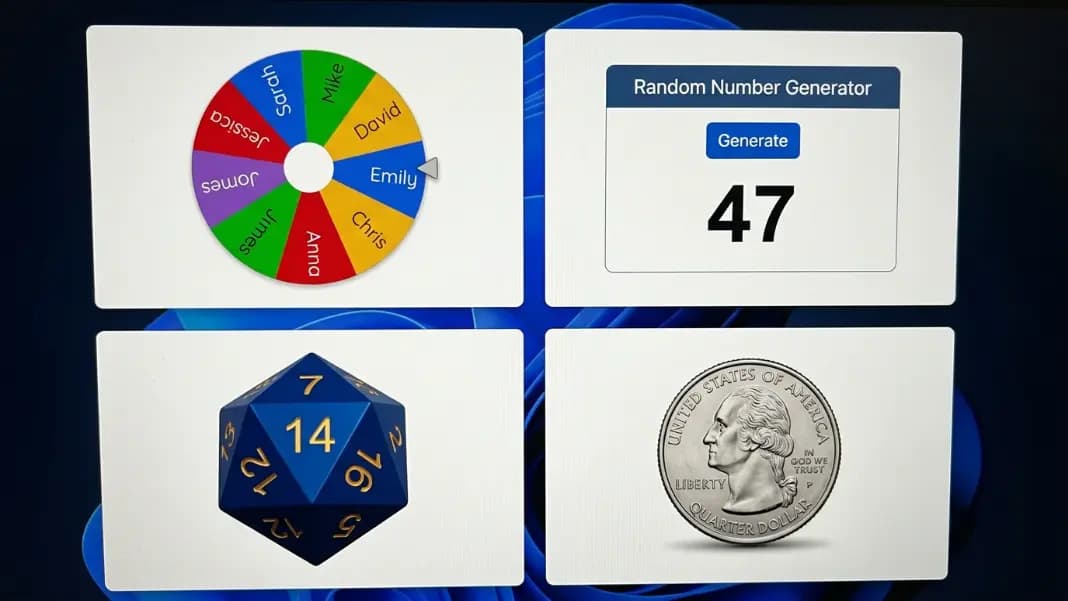
Every random decision comes down to one question: what kind of input do you have? Names, numbers, dice ranges, or a binary yes or no. The answer to that question tells you which tool to use. This guide maps every common random decision situation to the right tool, explains how each works, and shows how to combine them for more complex decisions.
All of the tools covered here are available in the random tools category and share the same underlying cryptographic randomness source. What differs is the input format and output style.
The four core tools
Wheel spinner: Accepts any list of text entries. Returns one entry per spin. Best for named options, participant lists, and custom choices.
Random number generator: Accepts a minimum and maximum range. Returns one or more numbers within that range. Best for numbered draws, lotteries, and any decision that maps to a number.
Dice roller: Accepts a die type selection (D4, D6, D8, D10, D12, D20, D100). Returns a result within that die's range. Best for game decisions, tabletop RPG sessions, and situations that naturally use die notation.
Coin flip: No input required. Returns heads or tails. Best for binary 50/50 decisions.
Two additional tools extend the core set:
Yes or no wheel: Returns yes or no with a configurable probability split. Best for binary decisions where you want something other than 50/50 odds.
Team generator: Accepts a name list and a group count. Returns the list divided into balanced random groups. Best for splitting participants into teams.
When to use the wheel spinner
The wheel spinner is the most versatile tool for decisions involving named options. Use it whenever you have a list of items and need one selected at random.
Best situations:
- Student name picking in classrooms
- Giveaway draws with participant names visible
- Deciding between restaurant options the group brought up
- Assigning tasks or roles to individuals in a group
- Picking which team goes first from a list of team names
- Streaming giveaways where the animated result engages the audience
Range: Works well for four to roughly fifty named entries. Below four, the wheel feels like overkill. Above sixty, segments shrink to the point where names become difficult to read during the spin.
Key advantage: The full list is visible before the spin. For public draws, this transparency is difficult to dispute. Everyone can verify their name is on the wheel.
For detailed classroom and giveaway setup, see the wheel spinner guide and the giveaway draw guide.
When to use the random number generator
The random number generator fits any situation where the decision maps naturally to a number within a range.
Best situations:
- Raffle ticket draws (set range to match ticket numbering)
- Lottery number selection
- Picking a random position in a numbered list
- Any draw with more than sixty participants (use numbered tickets)
- Generating multiple unique numbers for a shuffled order or seating assignment
- Any time you need a specific number rather than a named item
Range: Handles any numeric range, from a simple 1 to 10 pick up to millions. Supports unique mode to prevent the same number appearing twice in a multi-draw session.
Key advantage: Scales to large participant pools without readability problems. A raffle with five hundred participants is practical as a numbered draw; it would be impractical as a wheel with five hundred segments.
For guidance on setting min and max correctly, see the random number generator range guide. For numbered giveaway draws, the giveaway number generator guide covers documentation and fair draw setup.
When to use the dice roller
The dice roller covers the standard die types used in tabletop games: D4, D6, D8, D10, D12, D20, and D100. It also supports rolling multiple dice at once and showing the total.
Best situations:
- Tabletop RPG sessions where physical dice are not available
- Board game decisions when dice are missing
- Deciding any outcome that is naturally framed in game terms
- Probability demonstrations using standard die ranges
- Generating random numbers within die-specific ranges for games
Range: Fixed to standard die configurations. For ranges that do not match a standard die, the random number generator is more flexible.
Key advantage: Optimized for the game context. Rolling 3D6 and seeing the individual results plus the total is a natural interface for RPG and board game use. The random number generator could produce the same results mathematically, but the dice interface matches how players think about the decision.
The dice roller covers the same ranges as a random number generator with matching min/max values, but the dice format reduces friction in game contexts.
When to use the coin flip
The coin flip is the fastest binary decision tool. One click, one result: heads or tails. No list, no range, no configuration. For everything this tool can do, including multiple flips and history tracking, the coin flip online guide.
Best situations:
- Deciding who goes first between two players or teams
- Breaking a tie between two options when both are acceptable
- Any two-outcome decision where equal probability is correct
- Probability exercises where tracking results over many flips matters
- Situations where speed matters more than visual presentation
Key advantage: Zero setup. Faster than any other tool for a pure 50/50 binary result. The history tracking shows running heads and tails counts across the session, making it the best tool for demonstrating probability concepts through repeated trials.

When to use the yes or no wheel
The yes or no wheel is the right tool for binary decisions where equal odds are not correct.
Best situations:
- Decisions where one outcome is more likely but you want an element of chance
- Games with custom pass rates (for example, a 70 percent chance of success)
- Interactive yes or no demonstrations where the animated result engages a group
- Any binary decision where the 50/50 constraint of the coin flip is not appropriate
Key advantage: Configurable probability. The slider lets you set any percentage split between yes and no. The coin flip cannot do this.
For a detailed comparison, see yes or no spinner vs coin flip. For party game setups, truth or dare formats, and couples activities that use the wheel as their core mechanic, the yes or no wheel games guide covers each format in full.
When to use the team generator
The team generator solves group splitting. It takes a full name list and divides it into a set number of balanced groups in one operation.
Best situations:
- Classroom group work assignment
- Sports team division before practice or a game
- Office event group splitting
- Workshop breakout room assignment
- Any situation where a full list of people needs to be divided rather than one name picked
Key advantage: Full-group division in one step. The wheel spinner can simulate group selection by spinning once per person and deleting after each pick, but for large groups the team generator is far faster.
Combining tools for complex decisions
Many real decisions require more than one tool used in sequence. Common combinations:
Classroom session management:
- Team generator to split the class into groups at the start
- Wheel spinner to pick which group presents first
- Countdown timer to time each presentation
Tournament setup:
- Wheel spinner or team generator to determine group assignments
- Bracket generator to seed the elimination rounds
- Coin flip to determine home and away for each match
Giveaway with tiered prizes:
- Wheel spinner for main prize draw with all participant names visible
- Random number generator for secondary numbered prize draws 3 Screenshot documentation at each step
Game session start:
- Wheel spinner to pick which game to play
- Dice roller to determine starting player
- Coin flip for any binary choices during the session
The randomness is the same across all tools
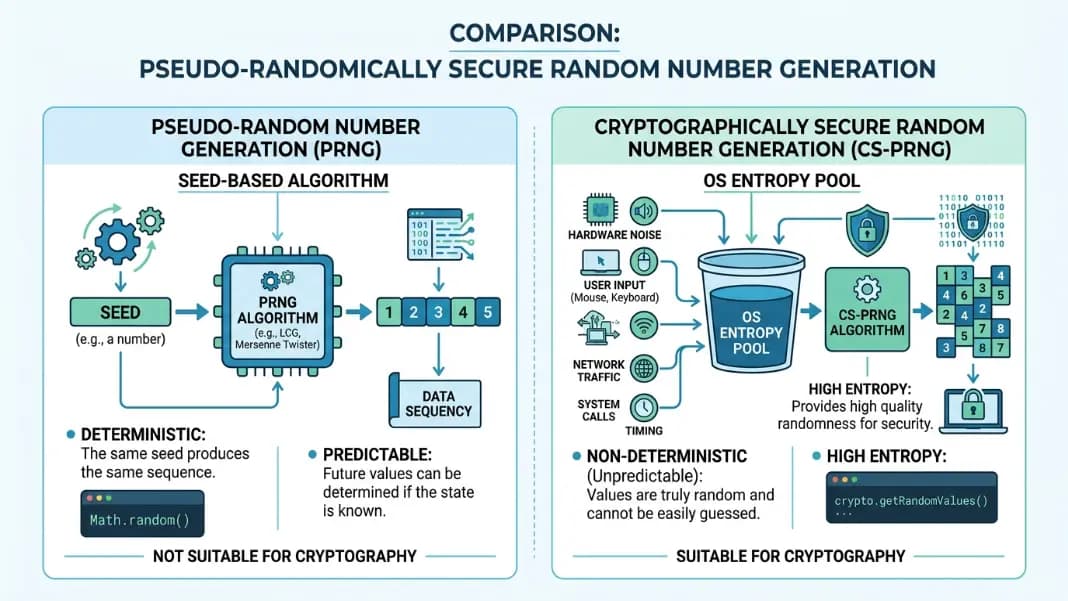
A common question is whether one tool is "more random" than another. The answer is that all tools on this site use the same cryptographic source: the browser's crypto.getRandomValues() function.
This function draws from hardware entropy on your device and produces values that are statistically indistinguishable from true random sources for any practical purpose. Whether you are spinning a wheel, generating a number, rolling a die, or flipping a coin, the underlying randomness has the same quality.
The choice of tool is about input format and output presentation, not about which one is more statistically fair. A number drawn from the random number generator is no more or less random than a result from the wheel spinner. Both are cryptographically random.
For a deeper explanation of how this randomness works and why it matters, the online random generators guide covers the full technical picture.
Quick reference: which tool for which decision
| Decision type | Best tool |
|---|---|
| Pick one name from a list | Wheel spinner |
| Pick one of several options you named | Wheel spinner |
| Draw a raffle or lottery ticket number | Random number generator |
| Generate multiple unique numbers | Random number generator (unique mode) |
| Roll a D6, D20, or other standard die | Dice roller |
| Flip a coin: 50/50 binary result | Coin flip |
| Yes or no with custom odds | Yes or no wheel |
| Split a group into balanced teams | Team generator |
| Time an activity or presentation | Countdown timer |
| Seed a tournament bracket randomly | Bracket generator |
Every tool in the random category is free, works in any browser without a download, and produces cryptographically random results. Start with the tool that matches the type of input you have, and combine tools for situations that have multiple stages.